-
Written By Amit Chandel
-
Updated on February 26th, 2026
Convert EML to PDF Without Data Loss or Corruption
User Query: What’s the easiest way to convert all my EML files into one PDF? Do I need any professional help or technical knowledge? because I have a huge storage of EML files that is hard to handle for me.
If you ever tried sharing multiple EML files together, you probably know it’s not very convenient. That’s why converting them into a single PDF (or separate PDFs) makes more sense. PDF files open on almost any device and are much easier to store or share. There are a few manual ways to convert EML to PDF, depending on the email app you use. And if you don’t want to deal with all that back and forth, tools like the MailConverterTools EML Converter Tool can help you quickly turn EML files into PDF without messing up the email content or attachments.
Why Convert EML File to PDF Makes Sense?
- Sending ten or twenty separate files to someone doesn’t really feel practical.
- Not everyone has an email program set up to open EML files directly.
- A PDF can be opened almost anywhere without thinking twice about it.
- What you see stays the same, no layout shifting around.
- It feels safer keeping important emails in one steady document.
- One single PDF is simply easier to store than a bunch of scattered files.
How to Convert EML to PDF with the Manual Method?
If you don’t want to use any software, you can do it manually with Outlook. Just make sure the app you’re using is already installed.
Method 1: Save EML file as PDF Using Outlook
- Firstly, open Outlook on your computer.
- Drag your EML files and drop them into any Outlook folder.
- After that, open the email you want to convert.
- Further, click on File > Print.
- You can also press Ctrl + P.
- Then, select Microsoft Print to PDF.
- Adjust any settings if needed.
- Click Print, choose the destination, give it a name, and hit Save.
Limitations
- The original folder structure is not maintained.
- It becomes tiring and repetitive if you’re dealing with hundreds of emails.
- There’s always a small risk of missing an email during manual selection.
- Not really practical for professional or large-scale backup needs.
How to Export EML to PDF Without Data Loss or Corruption?
The MailConverterTools EML Converter tool allows you to easily convert EML files into PDF files and maintains email content and attached documents. The EML Converter Tool can convert both small and large amounts of emails. The tool interface is easy to use, and you can use this tool to convert EML to PST file. Users are able to either add one file or many files at once. There is a demo version available to try or check out the features of the tool before you buy the full version. Also see this to convert EML to MSG.
Steps to Convert EML to PDF with Attachments
- Firstly, download the EML Converter Tool.
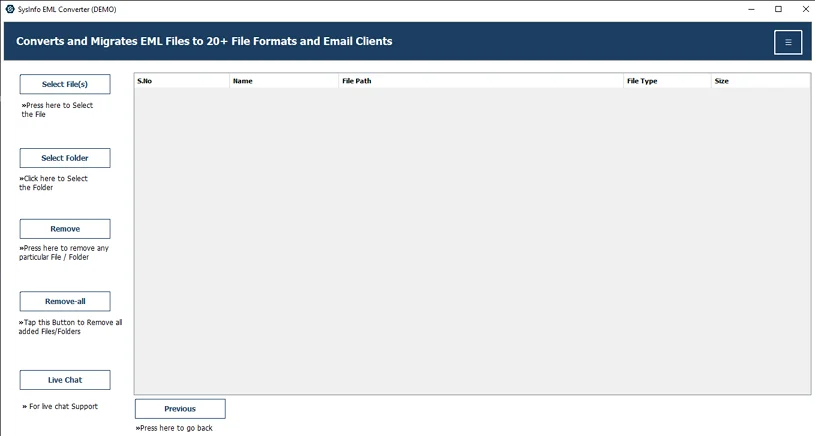
- Then, add the EML files and click Next.
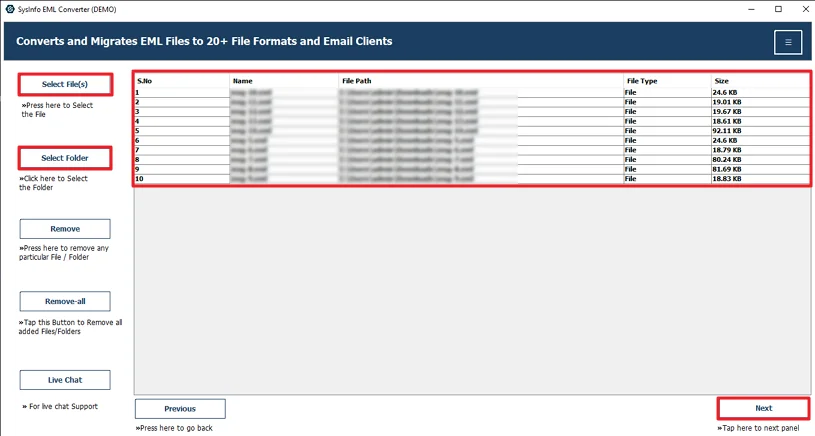
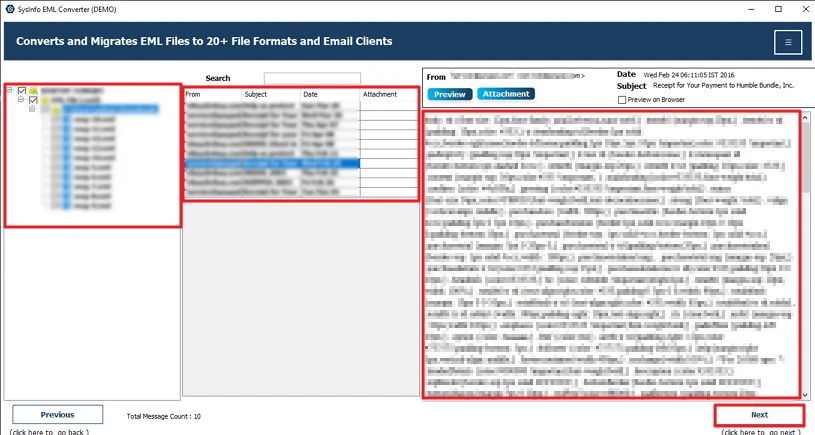
- Preview and select those files and hit Next.
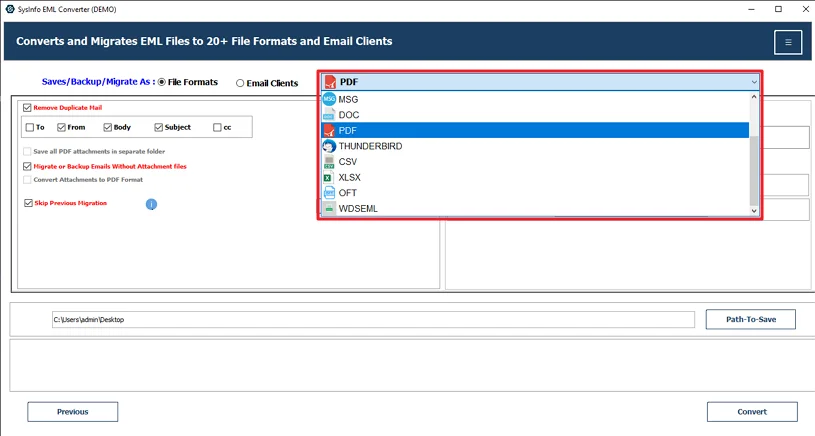
- Thereafter, choose the PDF file format.
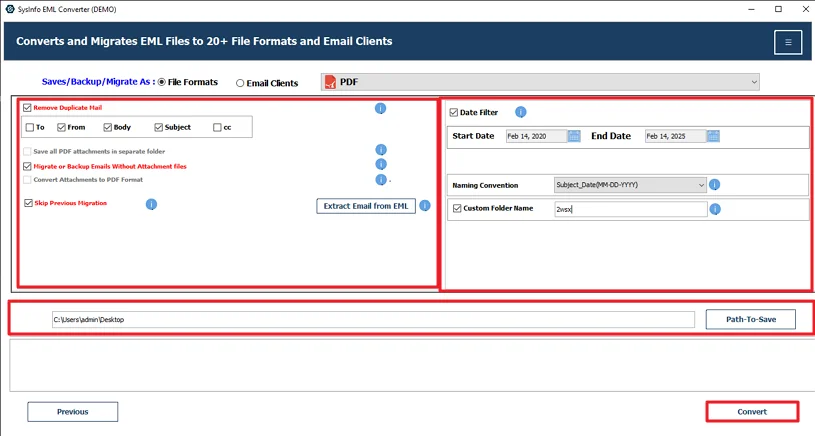
- Lastly, apply the filters, choose the destination, and click Convert.
Successful User Case:-
Henry works in a small legal firm. Over the years, he saved hundreds of important emails as separate EML files on his system. When he needed to submit email records for documentation, managing so many individual files became stressful. Sending them one by one was confusing, and there was always a fear of missing something.
At first, he tried the manual method using Outlook. It worked, but converting each email separately took too much time. Since he had a large number of files, the process felt repetitive and tiring.
Later, he used the MailConverterTools EML Converter Tool mentioned in this blog. He added all his EML files at once, selected PDF as the output format, and started the conversion. The tool kept the email content and attachments intact. Within a short time, his emails were saved properly in PDF format.
This made it easier for him to organize, store, and share the required email records without worrying about missing data or file confusion.
Conclusion
To conclude, there are many ways the user can use to convert EML to PDF easily. The choice of method totally depends on the user’s needs. The user can use any method, but the preferred method for accuracy and to avoid data loss or data corruptionn the professional tool is great. Manual methods are only effective for a few files.
Frequently Asked Questions
Q.1 What is the best tool to convert EML to PDF?
Ans: The MailConverterTools EML Converter Tool is a practical option. It lets you convert single or multiple EML files into PDF while keeping the email content and attachments intact. It also gives you a preview option before conversion.
Q.2 Is it secure to convert EML File to PDF?
Ans: Yes, if you use a reliable tool. The method discussed above converts files without changing the email content or attached documents. Your original EML files also remain unchanged during the process.
Q.3 How can I export EML to PDF without technical skills?
Ans: You don’t need technical knowledge. The MailConverterTools Eml Converter Tool interface is simple. You just add the EML files, select PDF as the output format, choose the save location, and click Convert.
Q.4 Do I save multiple EML files as PDF at the same time?
Ans: Yes. The MailConverterTools EML Converter Tool allows you to add multiple EML files at once and convert them in bulk. This is helpful if you have a large number of emails.
About The Author:

Meet Amit, an experienced SEO expert and content planner. He uses his creativity and strategy to create content that grabs attention and helps brands reach their goals. With solid skills in digital marketing and content planning, Amit helps businesses succeed online.
Related Post