-
Written By Vikas Bajpai
-
Updated on April 10th, 2026
Convert MSG to WDSEML Format Easily (Step-by-Step)
Jonathan from Italy Queries:- “I’ve been working with MSG files for quite some time, but now I need to switch them to WDSEML so they’re easier to search. Not really sure what’s the best way to do it without losing attachments or email data. Is there a simple way to handle this? Just looking for something that actually works without making things complicated.
MSG files are used in Microsoft Outlook to store emails, but are difficult to access outside of it. This creates issues when managing or searching emails elsewhere. WDSEML, used by Windows Desktop Search, enables faster indexing. This blog explains simple methods to convert MSG to WDSEML, including manual steps and the MailConverterTools MSG Converter Tool.
Understanding MSG and WDSEML Formats
|
Feature |
MSG File |
WDSEML File |
|
Used By |
Microsoft Outlook |
Windows Desktop Search |
|
File Type |
Proprietary email format |
Standardized indexed email format |
|
Accessibility |
Limited to Outlook |
Accessible across systems |
|
Compatibility |
Not compatible with most web or email apps |
Works with search-based systems |
|
Performance |
Slower for searching large data |
Faster search and retrieval |
|
Sharing |
Difficult to share without Outlook |
Easier to share and manage |
|
Dependency |
Requires Outlook |
Works independently with system search |
What Are the Common Errors During MSG to WDSEML Conversion?
- The MSG file just won’t open in Microsoft Outlook sometimes.
- Attachments go missing after converting the file.
- The email layout looks messy or broken.
- Files get damaged when converting many at once.
- The converted file doesn’t work with Windows search.
- Everything slows down when dealing with large files.
What Methods Are Available to Convert MSG to WDSEML?
If you want to migrate MSG files to WDSEML, there are a couple of simple ways to do it. You can try the manual method in Microsoft Outlook, which works fine for a few files. But if you’re dealing with a lot of data, using the MailConverterTools MSG Converter Tool makes the process much easier and smoother.
01 Way: Conventional Method to Convert Outlook MSG to WDSEML
There’s no direct way to export MSG to WDSEML. It’s not that simple. But you can still get it done using the following manual steps.
- First, start by opening MSG files in Microsoft Outlook.
- Afterwards, save your files as EML.
- Next, store them in a folder indexed by Windows Desktop Search.
- Lastly, Windows will handle indexing (this is where WDSEML comes in).
Why is the Manual Approach Not Ideal for MSG to WDSEML?
- You end up repeating the same steps over and over.
- There’s no clear way to get WDSEML, which gets confusing.
- Attachments or details can go missing sometimes.
- Not a good option if you have many files to convert.
- Small mistakes can happen easily.
- You have to rely completely on Outlook.
02 Way: Automated Solution to Convert MSG to WDSEML
The MailConverterTools MSG Converter is a reliable option when you don’t want to depend on Microsoft Outlook. You can preview MSG files before converting them. Additionally, it handles bulk conversion, so you don’t have to deal with files one by one. It also keeps everything as it is during the process. Moreover, it lets you import MSG to Titan Mail and other email clients.
Simple Steps to Convert MSG Files to WDSEML:
- First, install and launch the MSG Converter.
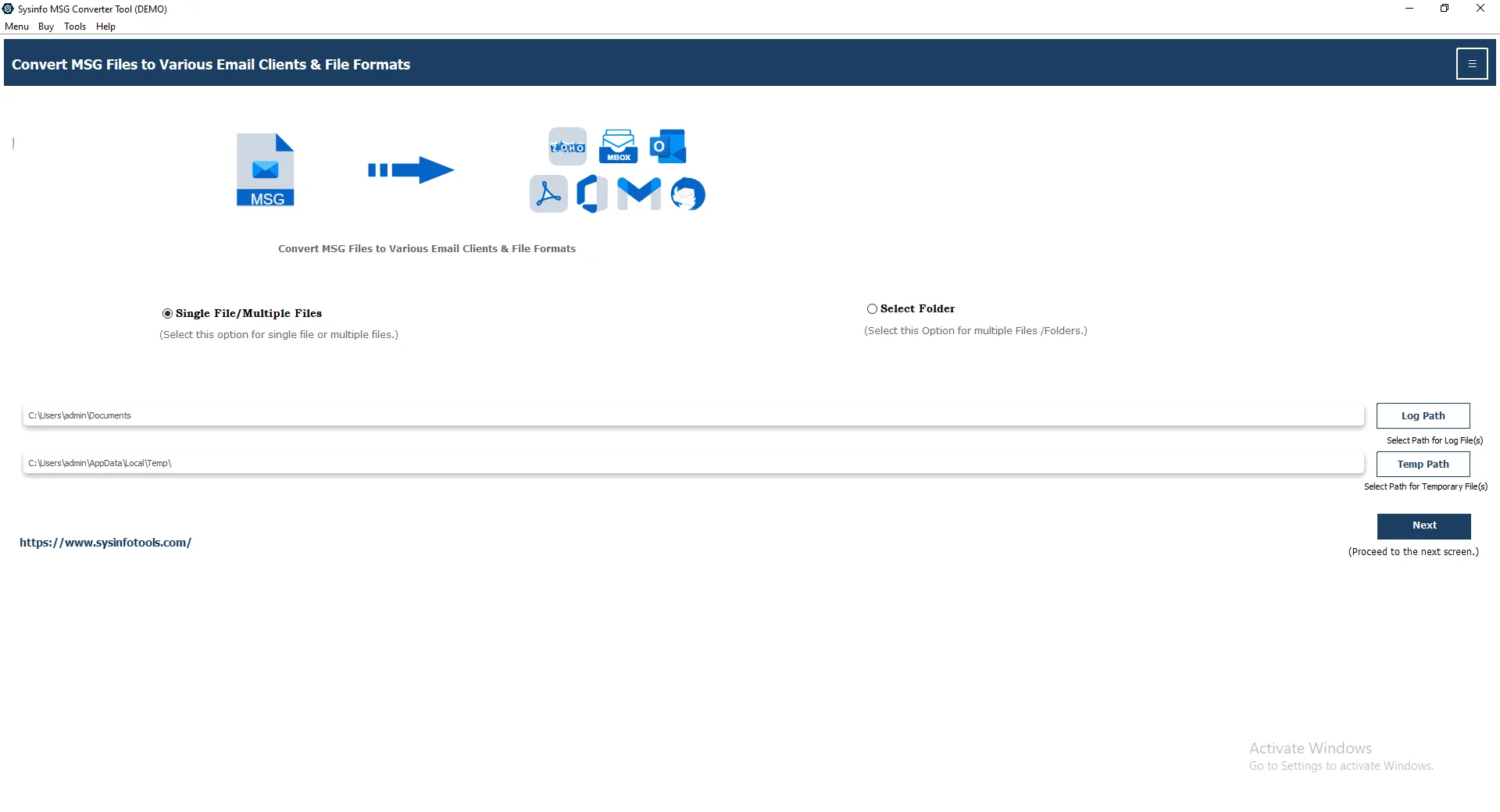
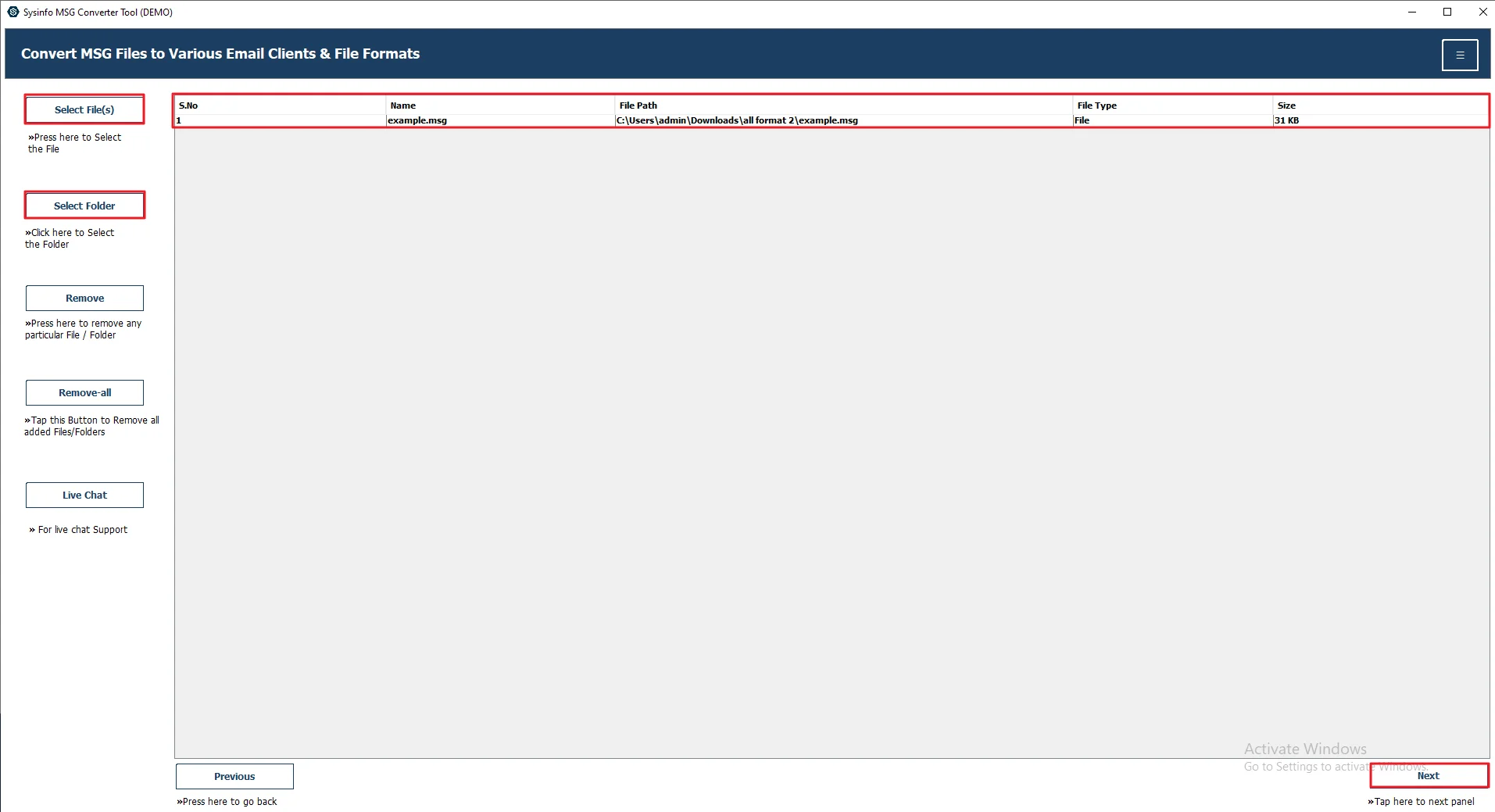
- After that, click Select File(s) or Select Folder to add your msg files. Press Next.
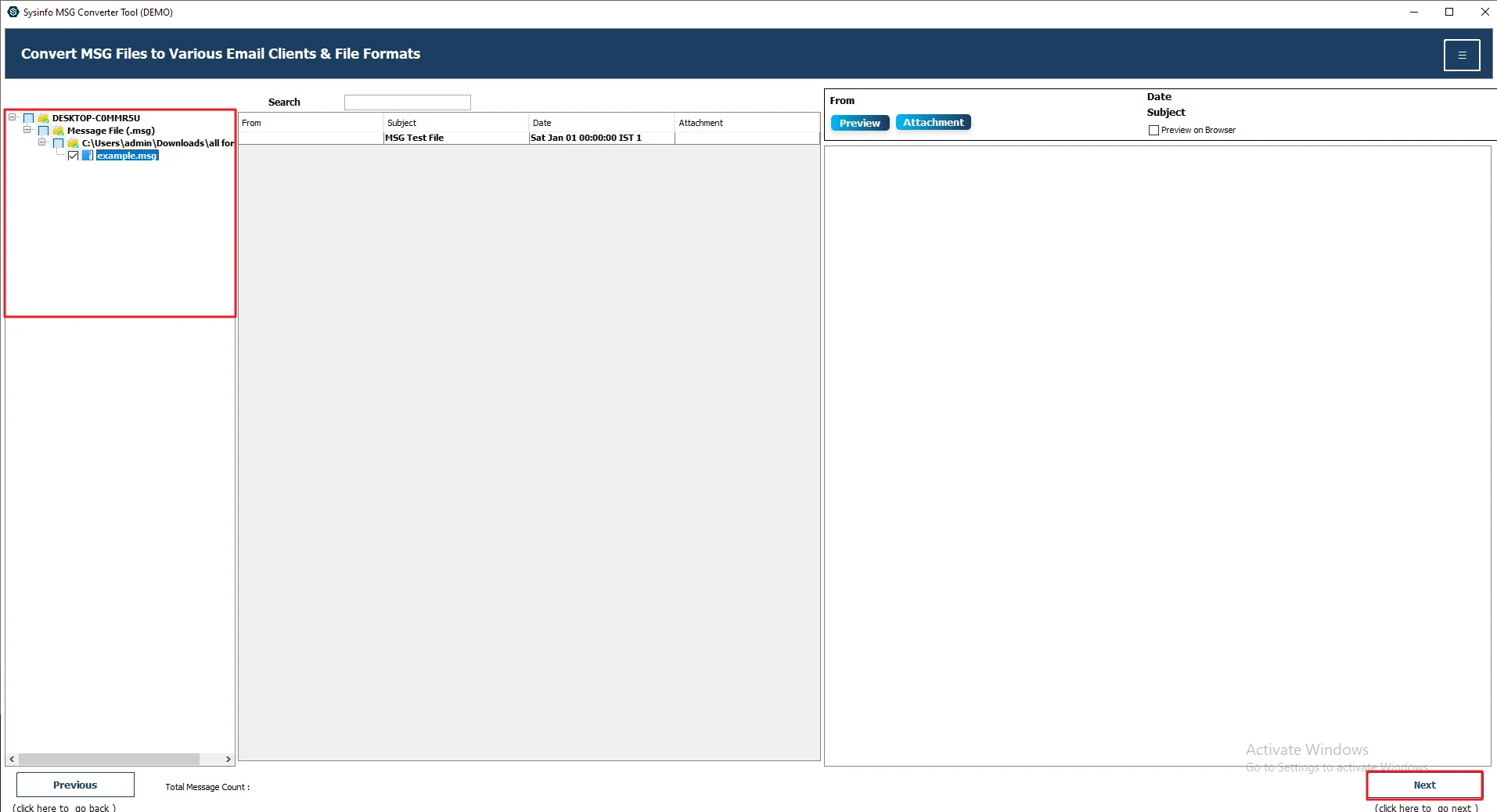
- Afterwards, expand the tree structure >> Preview and Select files >> Next.
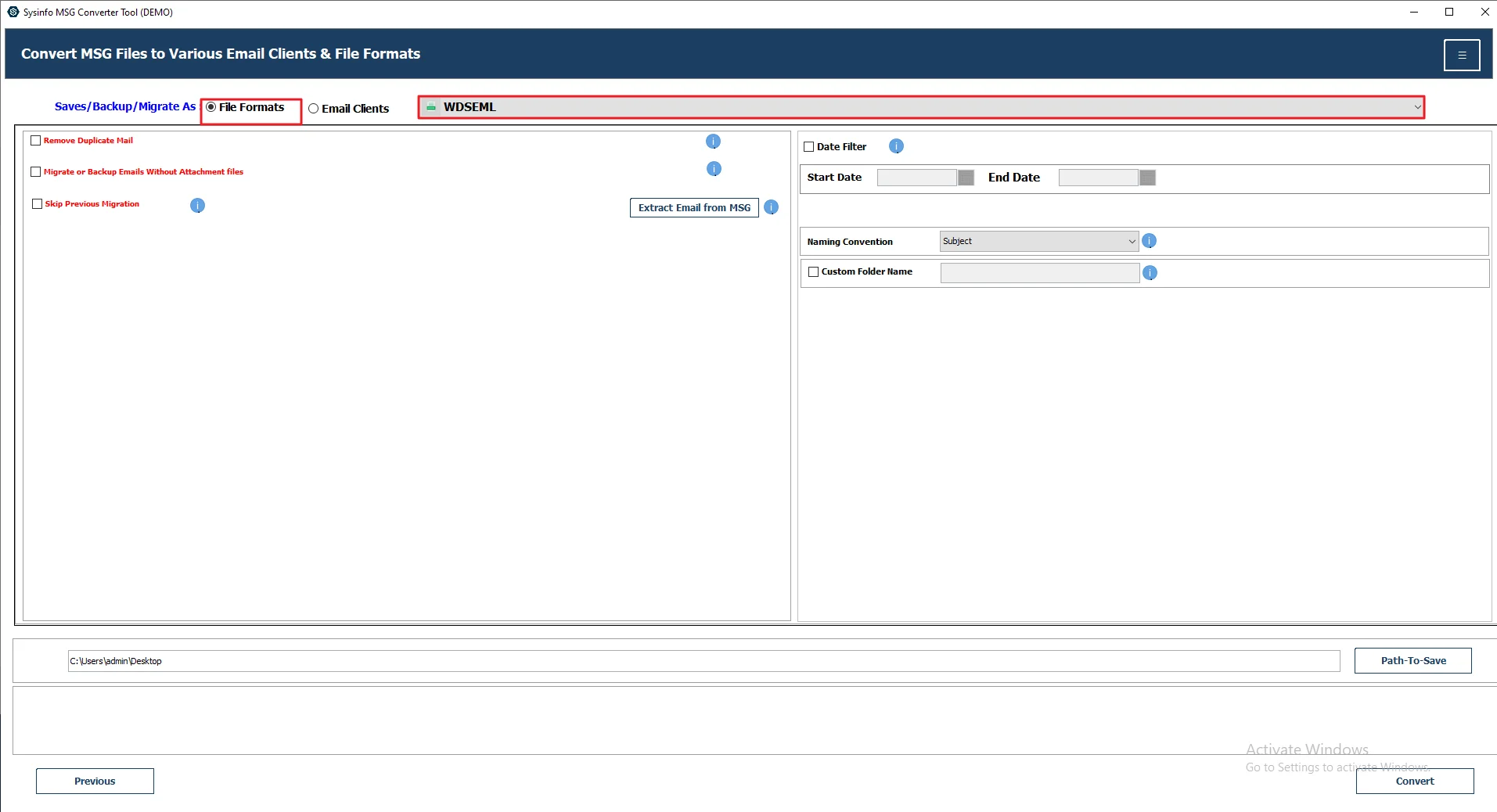
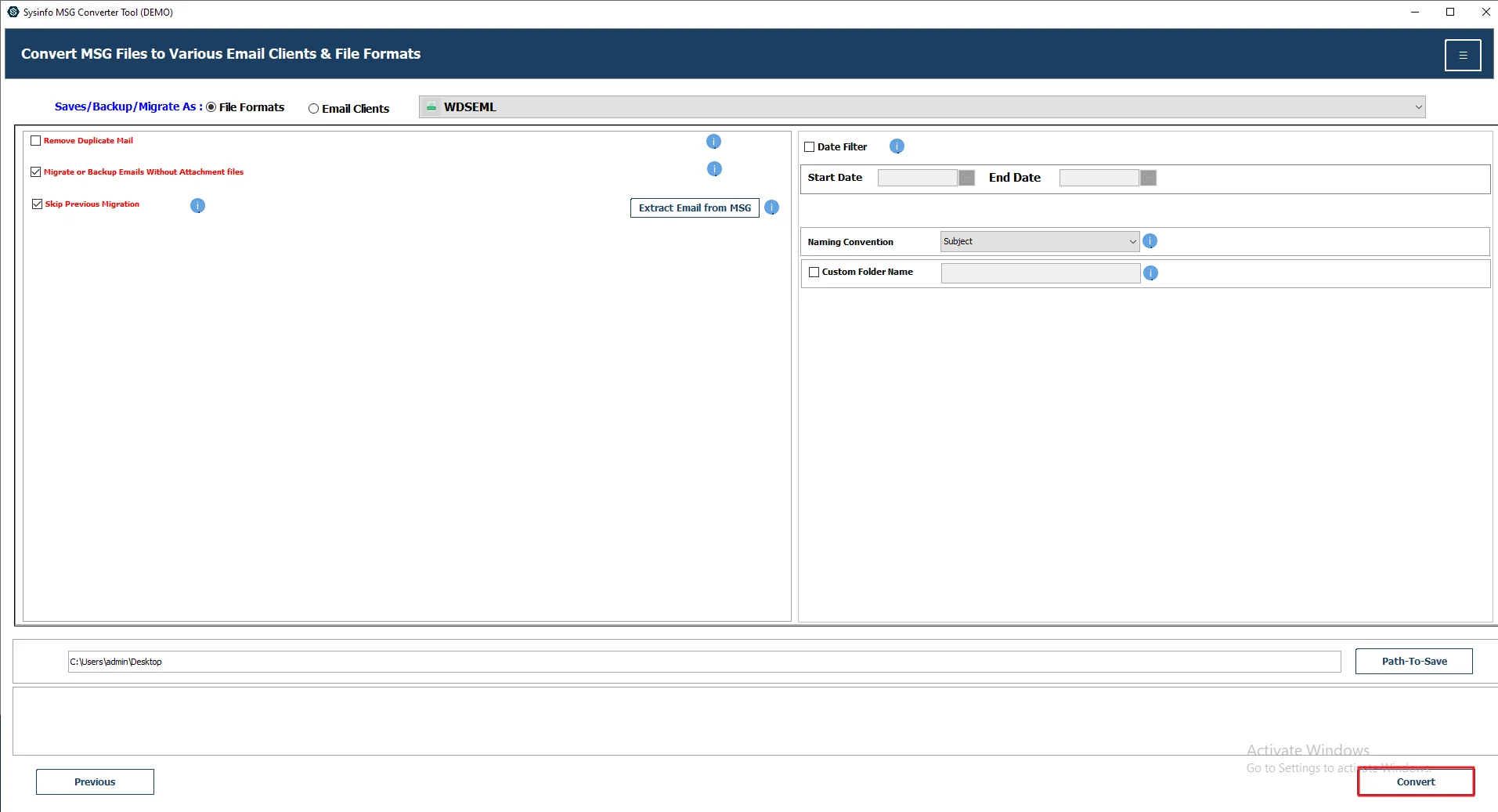
- Then, select WDSEML as the saving file format.
- Now, apply filters or features of your choice if needed.
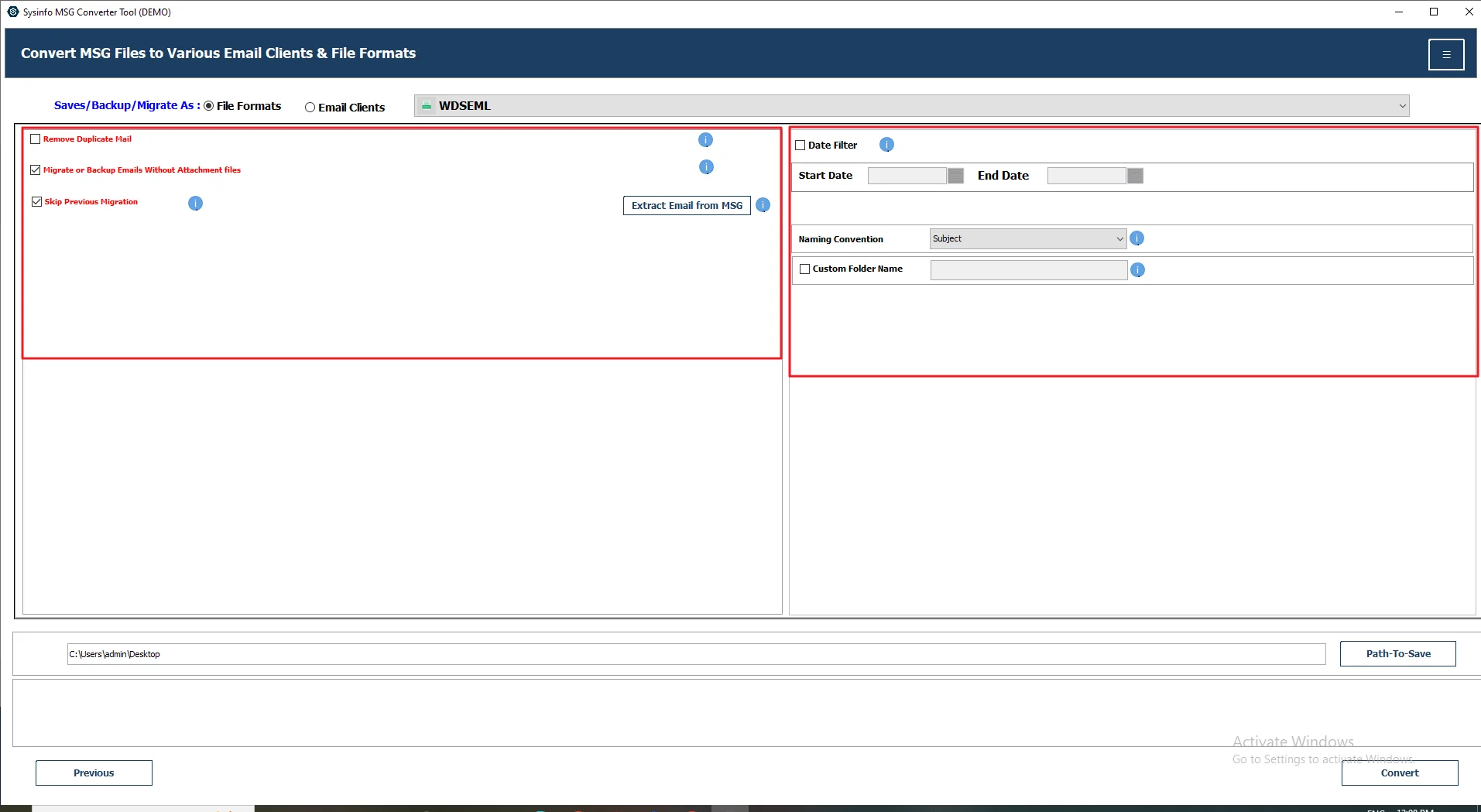
- Lastly, click the Convert button.
Why Do Users Prefer to Use an Automated Tool?
- You can convert MSG to OFT and other formats like PDF, EML, or PST.
- It makes it easy to move emails to Gmail or Office 365.
- You can handle lots of files at the same time.
- Your emails stay complete, nothing important is lost.
- It runs smoothly on both Windows and Mac.
- It can remove duplicate emails, which keeps things clean.
- You can choose specific dates and convert only what you need.
Client Testimonial
We had to convert a large batch of MSG files into WDSEML so we could search them easily. At first, we were a bit worried about losing attachments or email details. We tried doing it manually, but it was slow, and the results weren’t always right.
Later, we tried the MailConverterTools MSG Converter Tool, and things got a lot simpler. The files were converted properly, and nothing important was missing. It saved us quite a bit of time, and we could access everything without any trouble.
– IT Head, Tech Firm
Final Thought
In this post, we looked at two ways to convert MSG to WDSEML. This helps when you want your emails to be easier to search and access. The manual method is okay if you only have a few files, but it has some limits. It can get slow and a bit messy with more data. Using the MailConverterTools MSG Converter makes things easier. You can convert many files at once and don’t have to worry much about losing data.
Frequently Asked Questions
Q1. Is it possible to open WDSEML files directly?
Ans. WDSEML files are not meant to be opened directly like normal email files. They are mainly used by Windows Desktop Search for indexing. You can usually view the content through search results instead.
Q2. Is manual conversion from MSG to WDSEML possible?
Ans. Not directly. You can use Microsoft Outlook to save MSG files as EML and then let Windows index them. For a simpler way, tools like MailConverterTools MSG Converter Tool can help.
Q3. Is it possible to convert multiple MSG files at once?
Ans. Manual methods are not suitable for bulk conversion. If you have many files, using the MailConverterTools MSG Converter Tool makes it much easier to convert them all at once.
Q4. Will converting MSG to WDSEML affect the email’s formatting?
Ans. If done manually, there is a chance of losing formatting or attachments. Using the MailConverterTools MSG Converter Tool helps keep the email layout and data intact.
About The Author:

Vikas Bajpai is a results-driven SEO expert and content strategist with a strong passion for building impactful digital experiences. He specializes in crafting data-backed content plans that boost visibility, engage audiences, and drive measurable growth. With deep expertise in search engine optimization, keyword strategy, and content marketing, Vikas helps brands strengthen their online presence and achieve long-term success.
Related Post