-
Written By Vikas Bajpai
-
Updated on April 11th, 2026
Migrate Gmail to Yandex Mail: Detailed Setup Instructions
Michael from Germany asks:- “I’ve got a lot of emails in my Gmail account, and I’m thinking of moving everything to Yandex Mail. Sounds simple, but it’s not that smooth. I tried the manual method. It works, but it’s slow. And honestly, a bit confusing too. I’m not even sure if I’m doing it the right way. Is there an easier way to move all emails without losing anything or messing up the folders?
Thinking about moving your emails from Gmail to Yandex? You’re not alone. A lot of users are switching these days. Some prefer the cleaner interface. Others like the extra security features and how it connects with other Yandex services. It just feels like a good alternative to Gmail for many people. In this guide, I’ll walk you through a few simple ways to migrate Gmail to Yandex Mail. We’ll look at both manual methods and the MailConverterTools Gmail Backup Tool if you want something quicker and easier.
What Are the Common Problems During Gmail to Yandex Migration?
|
Error |
Why It Happens |
|
Login Failed |
Wrong password, 2-step verification, or restricted access |
|
IMAP Not Enabled |
IMAP is turned off in Gmail settings |
|
Slow Email Sync |
Large mailbox or slow internet |
|
Missing Emails/Folders |
Labels not syncing or incomplete migration |
|
Connection Timeout |
Network issues or server delay |
|
Authentication Error |
Incorrect credentials or security restrictions |
|
Duplicate Emails |
Import restarted multiple times |
Different Methods to Migrate Gmail to Yandex Mail
You can either go with the manual method or the professional Gmail Backup tool to make this conversion. However, there are a few pre-migration checks you must ensure. These are:
- Turn on IMAP in Gmail settings before anything else — it won’t work without it.
- Log in to your Gmail and check how much storage you’re using.
- Go through your folders and labels to see what you actually need.
- Take a backup of important emails just to be safe.
- Keep your Gmail and Yandex login details ready before you start.
Method 01: Native Approach to Import Gmail to Yandex Mail
There’s a simple manual way to move your emails from Gmail to Yandex Mail using IMAP settings. It doesn’t need any extra tools, just a bit of setup on both accounts. But it can take time, especially if your mailbox is large.
Use These Steps to Transfer Gmail Emails to Yandex Mail:
- First, open your Gmail account and go to Settings.
- Afterwards, go to Forwarding and POP/IMAP.
- Enable IMAP access and click Save Changes.
- Now log in to your Yandex Mail account.
- Click on the Gear icon → All Settings.
- Select the Mail Import option.
- Enter your Gmail email address and password (use App Password if required).
- Choose email folders (if the option is available).
- Click on Start Import to begin the migration.
Limitations
- Some folders or labels may not move properly.
- You might run into login or sign-in issues.
- It needs a stable internet connection the whole time.
- New emails may not show up automatically after setup.
- A few emails can go missing or get duplicated.
- Not a good option if you have a lot of emails.
- If something breaks, you may have to start again.
Method 02: Expert Choice to Migrate Gmail to Yandex Mail
If you don’t want to deal with all the manual setup, the MailConverterTools Gmail Backup Tool can make things a lot easier. It’s a simple way to move your emails from Gmail to Yandex, especially if you have a lot of data. You can transfer everything in one go, including attachments and folder structure. That saves a lot of time. There are also options to pick specific folders or set a date range, so you don’t have to move unnecessary emails.
Another good thing is that your login details stay safe during the process. Nothing gets stored. Overall, it’s just a smoother way to handle the migration without too much effort. You can also walk through our guide to migrate Gmail to Zoho Mail for a complete migration solution.
Verified Steps to Export Gmail emails to Yandex Mail:
- At first, install and open the Gmail Backup Tool on your system.
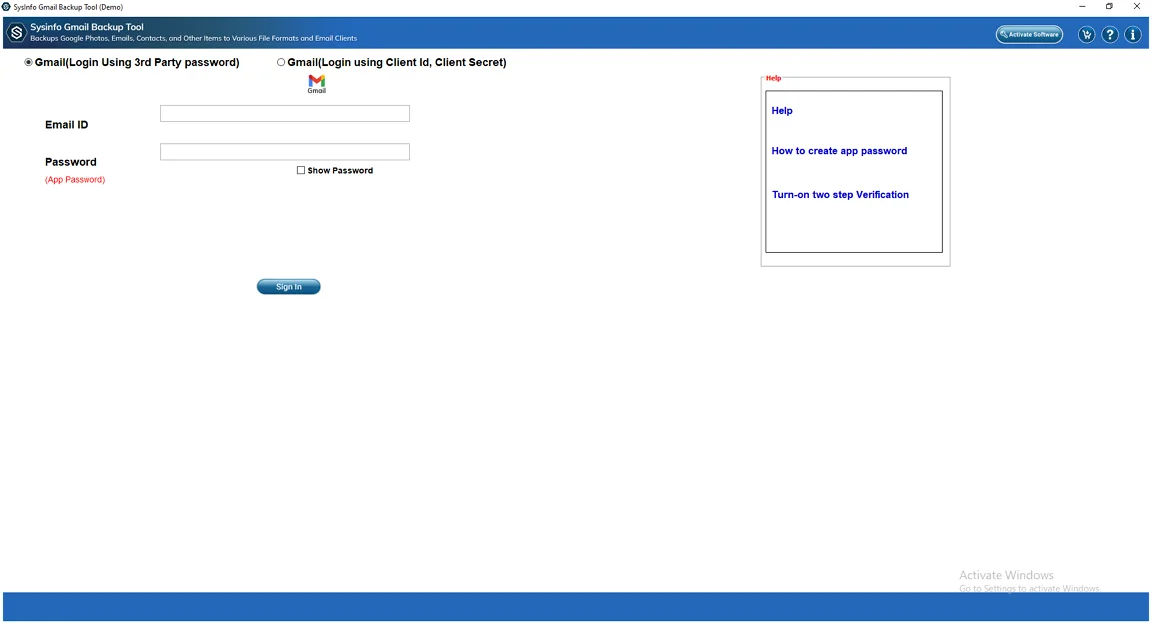
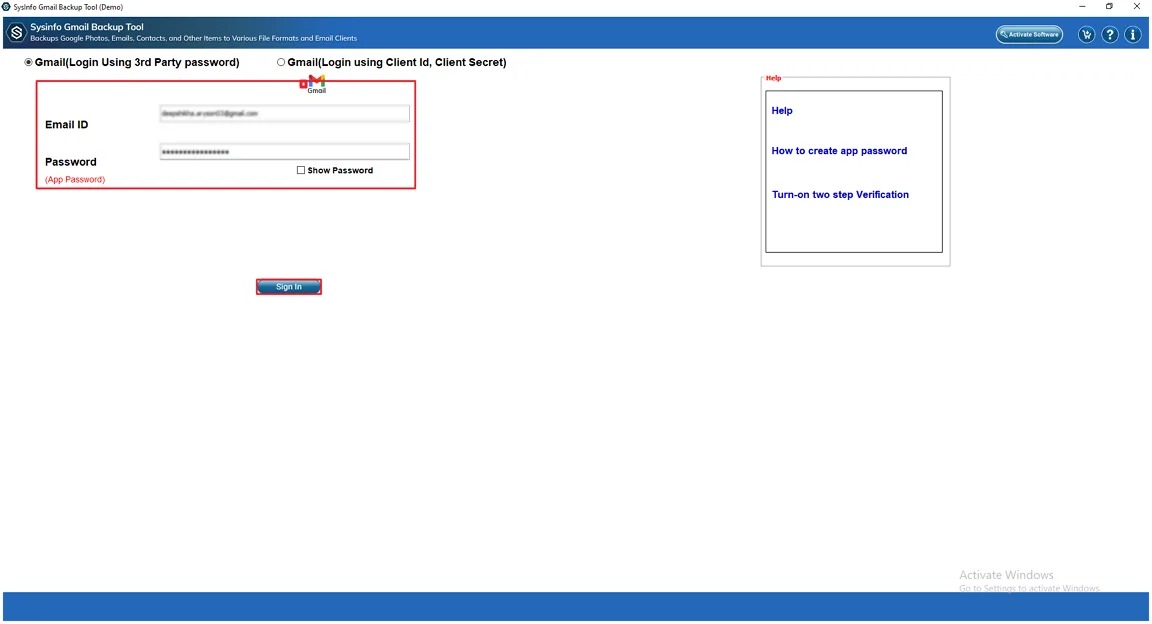
- After that, provide your Gmail ID and Password and press Sign In.
- After that, select the folder you want to transfer and click Next.
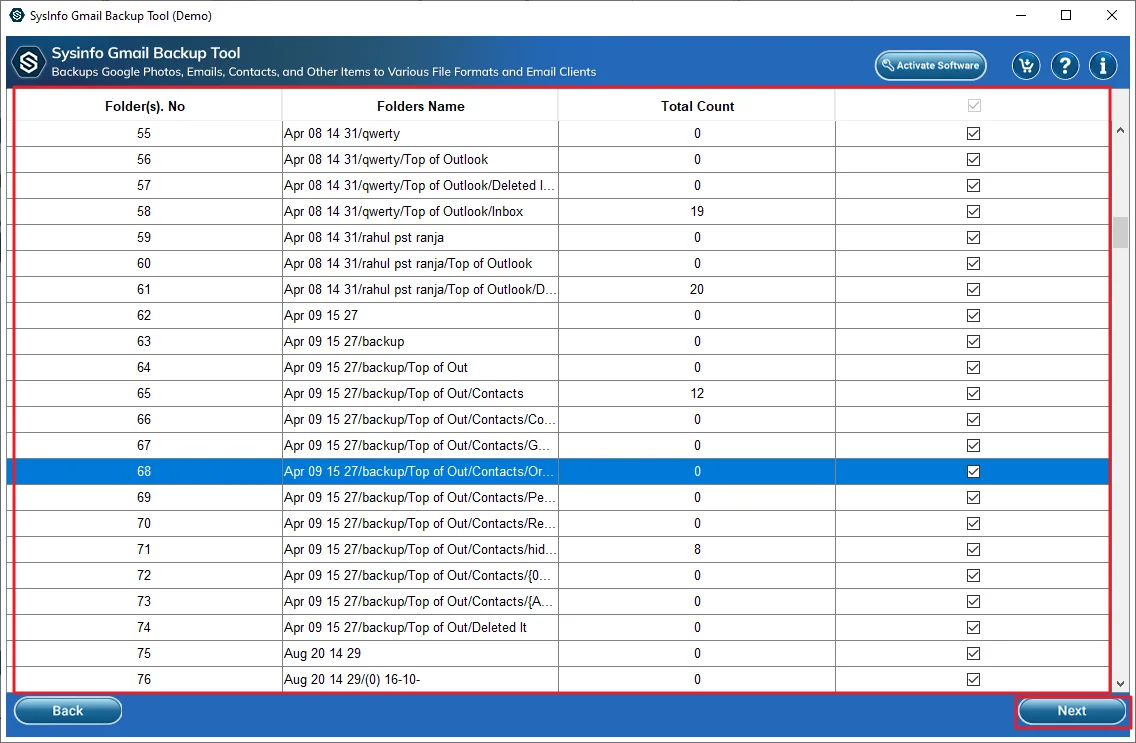
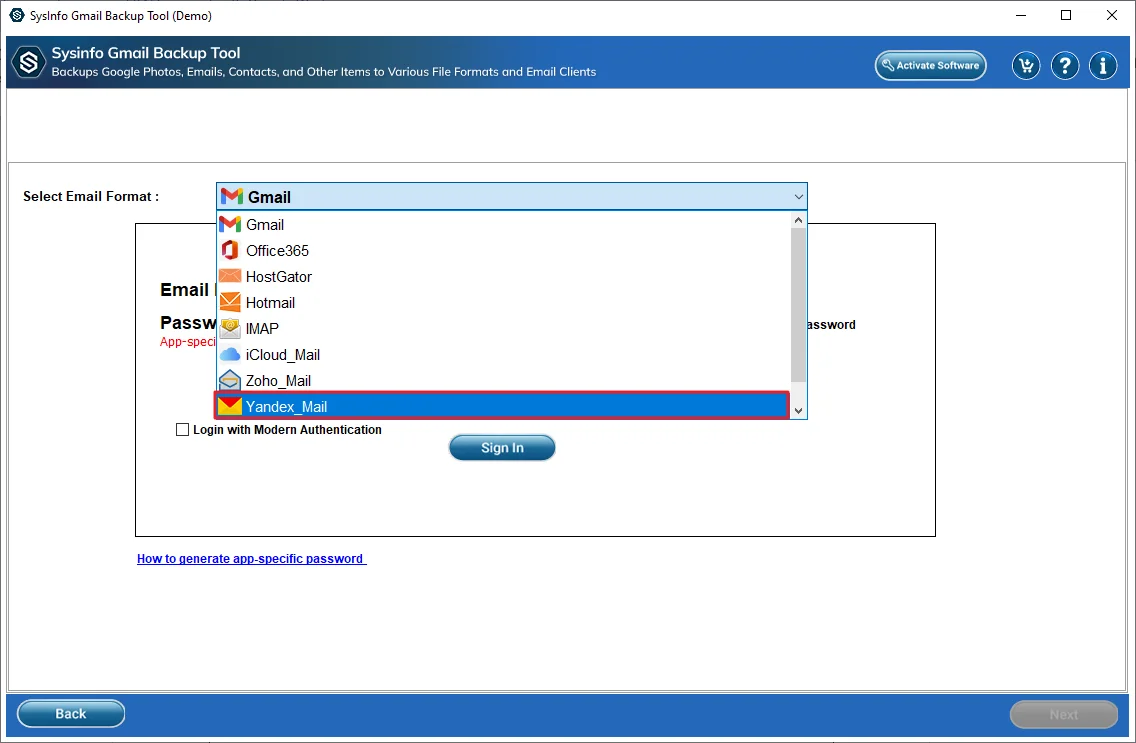
- Thereafter, select Yandex Mail as the saving email client.
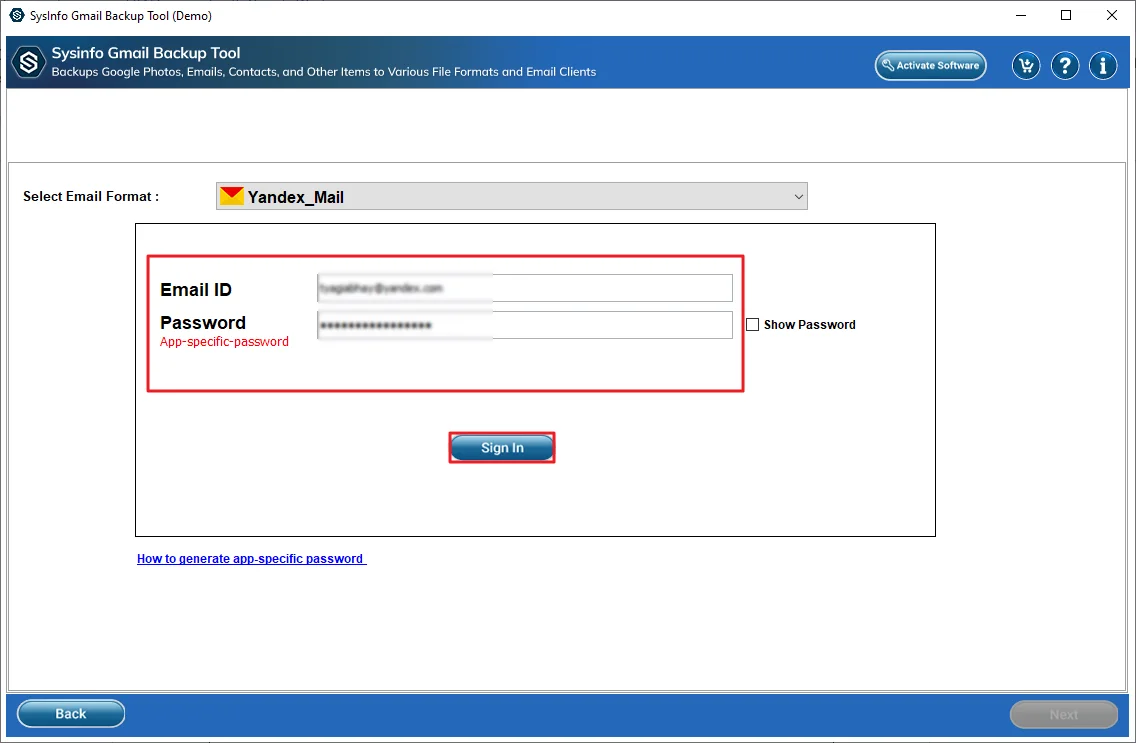
- Next, provide Yandex Mail credentials and click Sign In.
- Later, apply the additional filters/features and press Next.
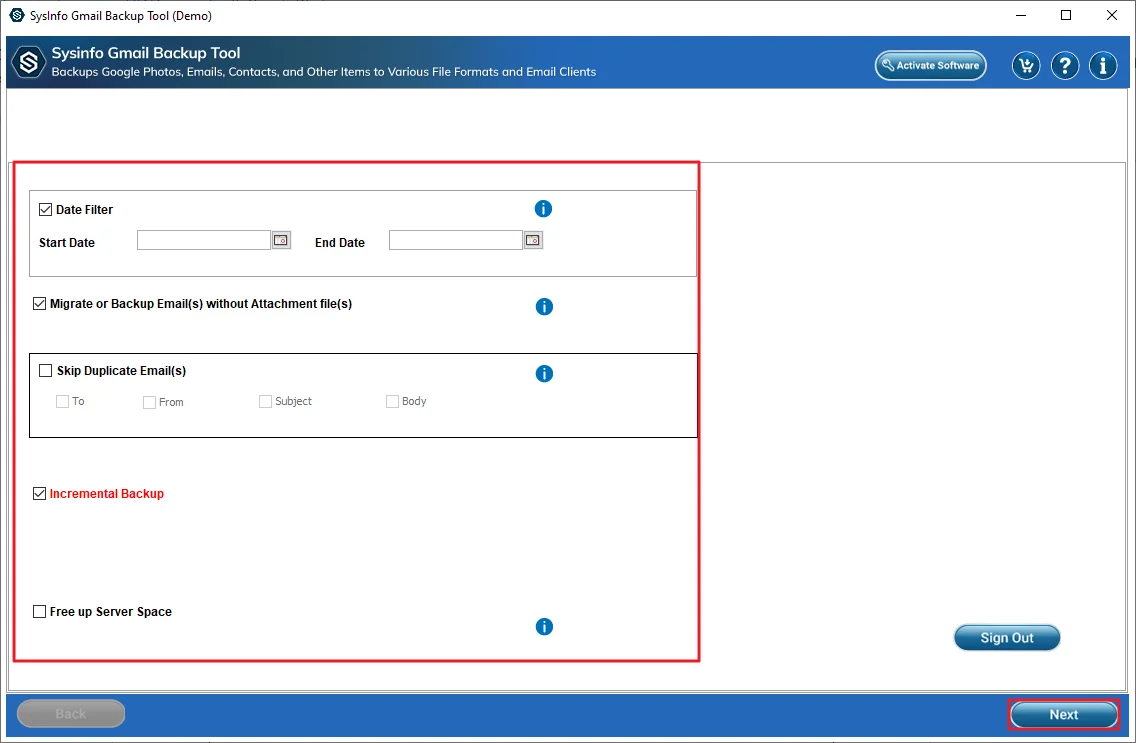
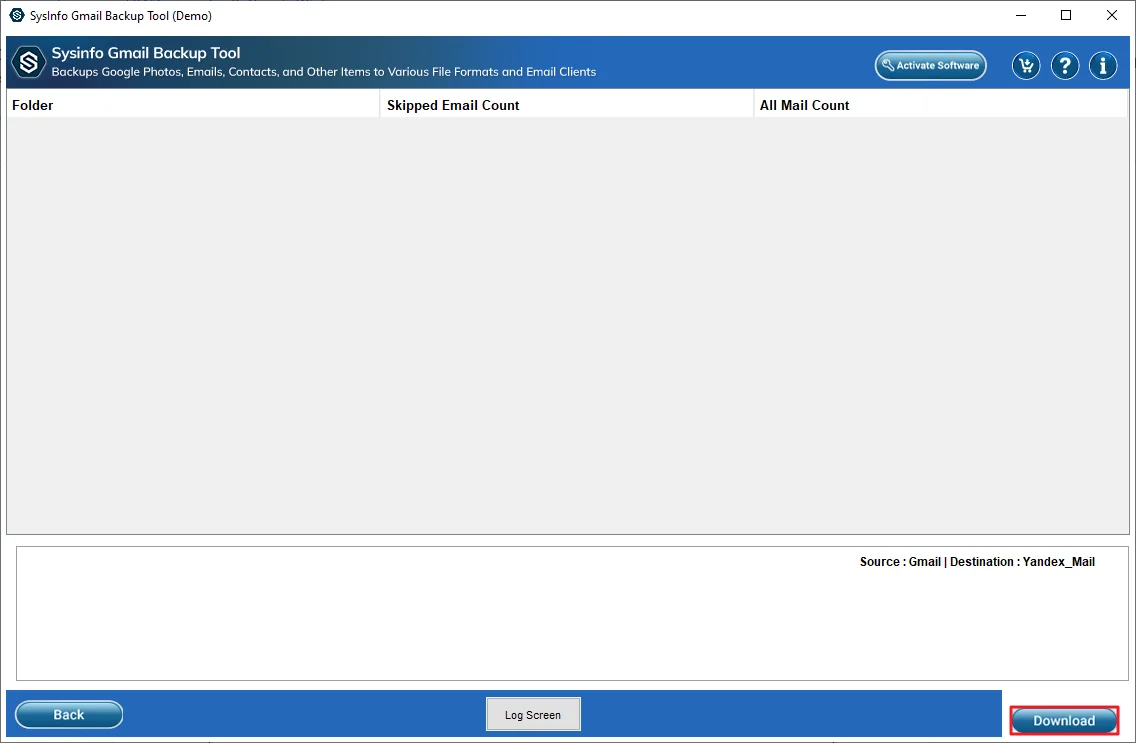
- At the end, click Download to start the migration.
Client Testimonial
We had to move our team emails from Gmail to Yandex Mail. At first, we tried doing it manually. It worked, but it was slow and a bit annoying. Some emails didn’t sync properly, which made things harder.
Later, we tried the MailConverterTools Gmail Backup Tool to move emails from Gmail to Yandex Mail. That made a big difference. The emails moved properly, including attachments and folders. It saved us time, and we didn’t have to double-check everything again and again.
– Project Manager, Digital Agency
Why Do Enterprises Choose Professional Methods?
- You can download a lot of Gmail emails at once to your computer or drive.
- It lets you save emails in different formats like PST, PDF, or MBOX.
- Works only with Gmail accounts, so it stays focused.
- You can pick emails from a specific date range.
- You can also migrate Gmail to Google Workspace and other email services if needed.
- It helps avoid saving duplicate emails.
- Your folders stay in the same order after the process.
- Users can choose whether to include attachments or not.
End Note
In this blog, we looked at different ways to migrate Gmail to Yandex Mail. The manual method works fine for basic requirements but requires careful execution. But it can take time and may not always be smooth. For larger data, using the MailConverterTools Gmail Backup Tool can save effort and reduce mistakes. It’s a more straightforward option.
Frequently Asked Questions
Q.1 Which software is best for Gmail to Yandex Mail migration?
Ans. A good option is the MailConverterTools Gmail Backup Tool. It’s easy to use and works well for moving emails without much hassle. You don’t need much technical knowledge to get started.
Q.2 Is it safe to import Gmail to Yandex Mail?
Ans. Yes, it’s generally safe if you use proper methods like IMAP or a trusted tool. Many users prefer using tools like the MailConverterTools Gmail Backup Tool to avoid errors and keep their data safe during the process.
Q.3 How to transfer Gmail emails to Yandex Mail in bulk?
Ans. For bulk migration, manual methods can be slow. It’s better to use a tool that can handle large amounts of data easily. The MailConverterTools Gmail Backup Tool is helpful here, as it can move multiple emails at once without much effort.
Q.4 Is there an easy way to export Gmail emails to Yandex Mail for beginners?
Ans. Yes, beginners can try the manual method, but it may feel a bit confusing. A simpler option is using a tool like the MailConverterTools Gmail Backup Tool, which makes the process straightforward with easy steps.
About The Author:

Vikas Bajpai is a results-driven SEO expert and content strategist with a strong passion for building impactful digital experiences. He specializes in crafting data-backed content plans that boost visibility, engage audiences, and drive measurable growth. With deep expertise in search engine optimization, keyword strategy, and content marketing, Vikas helps brands strengthen their online presence and achieve long-term success.
Related Post