-
Written By Vikas Bajpai
-
Updated on April 1st, 2026
Transfer Gmail to Hotmail: Easy Step-by-Step Guide
User Query: I’ve been using Gmail for a while, but now I want to move everything over to Hotmail. As it provides better integration. Is there any simple way to migrate all my emails from Gmail to Hotmail without losing important data?
Want to move emails from Gmail to Hotmail, but not really sure where to begin? Yeah, it is confusing at first, especially if you’ve got a lot of important emails sitting there. Don’t worry, though, it’s actually not that complicated. I’ll show you simple ways to transfer Gmail to Hotmail. In this guide, we will see the native approach, or the advanced MailConverterTools Gmail Backup Tool.
Transfer Emails from Gmail to Hotmail: Quick Answer
Gmail doesn’t really have a one-click option to move everything to Hotmail. You’ll have to use a workaround like Outlook import or IMAP sync to get it done. It works, but if you have a lot of emails, it becomes slow.
If you don’t want to deal with all that, use a tool like MailConverterTools that can save time. And it lets you move everything at once, so you’re not stuck doing things manually.
Why Users Want to Transfer Gmail to Hotmail?
- Works nicely with Microsoft apps like OneDrive and Office.
- The inbox feels cleaner and less cluttered.
- Spam emails are filtered out pretty well.
- Easy to sort emails into folders and keep things organized.
How to Migrate Gmail Emails to Hotmail Manually?
There are mainly two manual ways to do this. One handles your new emails. The other is for older emails, but you’ll have to send them one by one. Just go with whatever feels easier for your situation.
01. Method: Migrate from Gmail to Hotmail[New Emails]
In this method, we are going to use Gmail’s built-in forwarding option to send new upcoming emails to Hotmail. It’s pretty simple to set up. Just follow the steps below:
- Firstly, sign in to your Gmail account.
- After that, open the Settings icon and then click on “See all settings.”
- Afterwards, go to the Forwarding and POP/IMAP option.
- Then, click Forwarding and Add a forwarding address.
- Now, provide your Hotmail email and click Next.
- Later, check your confirmation mail in Hotmail and verify it.
- At the end, enable Forward a copy of incoming mail to your Hotmail account.
02. Method: Transfer Gmail to Hotmail [Old Emails]
With this approach, users can send a specific email from Gmail to a Hotmail account. It’s pretty simple. Just follow the given steps:
- Firstly, sign in to your Gmail account.
- Now, pick the email you want to send.
- Then, scroll down and go to the bottom of the email.
- Next, click on the Forward button.
- Provide your Hotmail ID and hit Send.
- That’s it, the email will show up in your Hotmail inbox.
Loopholes of the manual method:
- Only new emails get forwarded; old ones stay in Gmail.
- The sync process can be slow if you have a lot of emails.
- Not very easy if you’re not familiar with the settings.
- Takes time since you have to send emails one by one.
Expert Solution to Transfer Gmail to Hotmail
Manual methods can be difficult to use. That’s why a lot of people look for an easier option. One way is to use a tool like MailConverterTools Gmail Backup Tool. It helps users to migrate Gmail to Google Workspace without much effort. You can also save emails on your computer in different formats if needed. It also provides options, like removing duplicates or skipping attachments. Moreover, you can also use this tool to export Gmail to Text, EML, PST, PDF, MSG, MBOX, and a few others.
Verified steps to transfer emails from Gmail to Hotmail:
- Download and install the Gmail Backup tool.
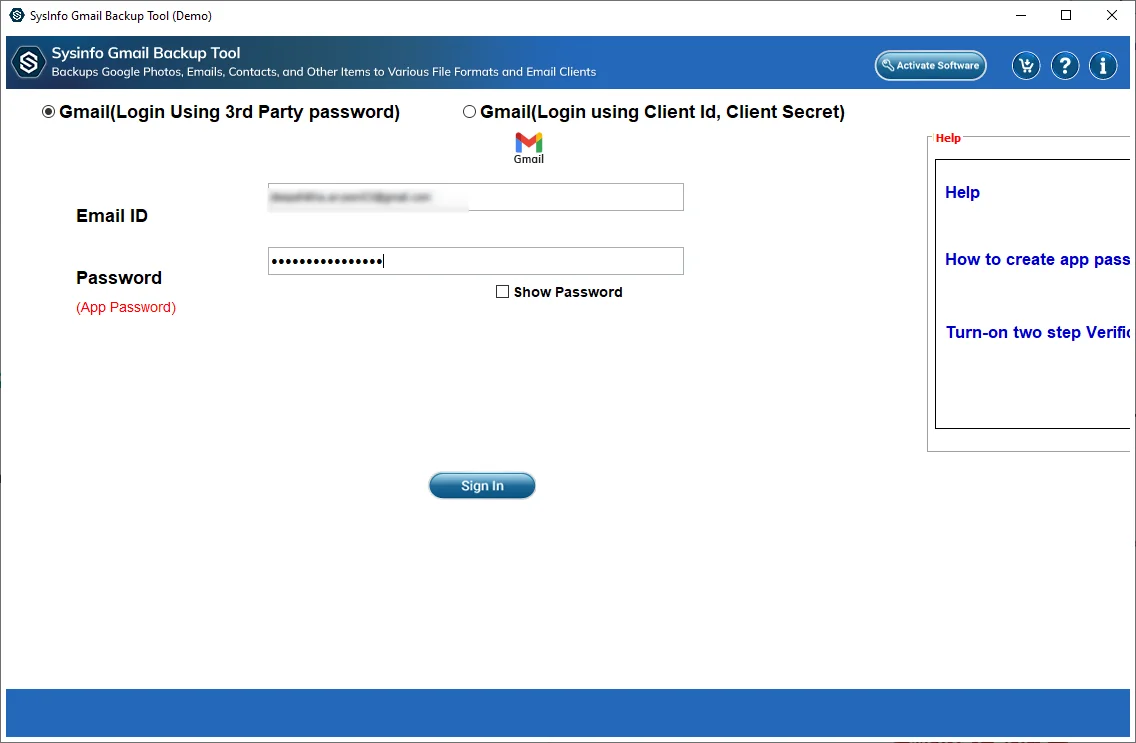
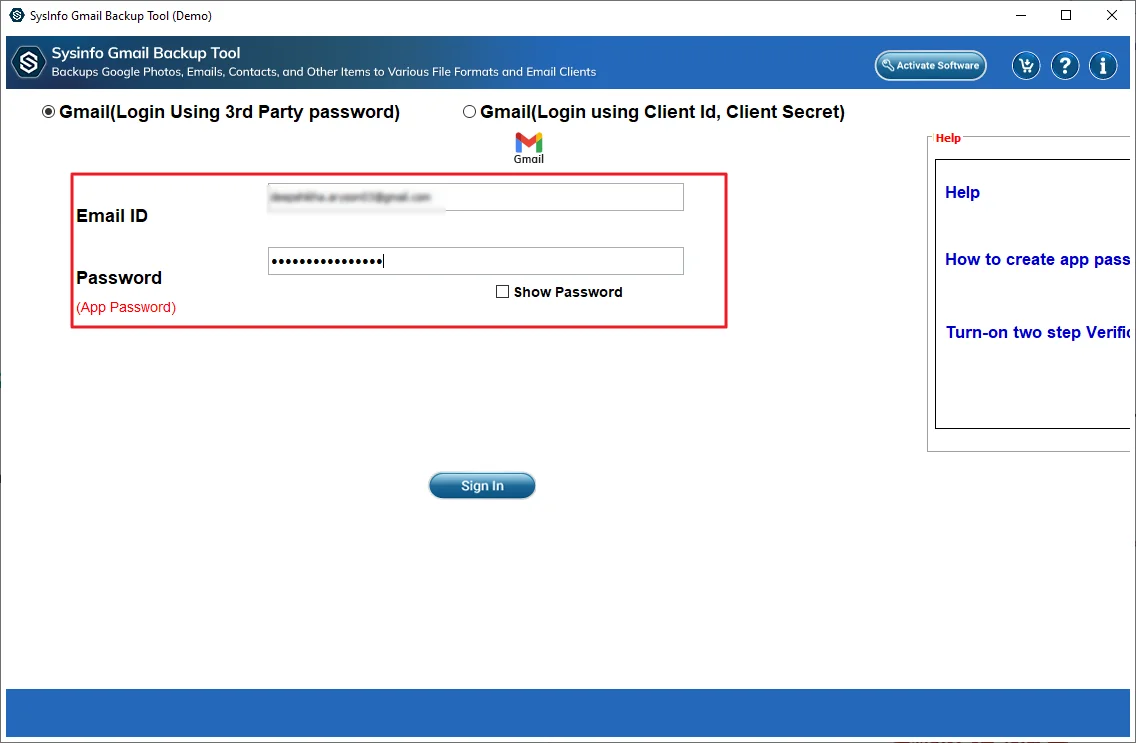
- After that, log in to your Gmail account with your credentials.
- Later, select the folder from the Gmail mailbox and then press Next.
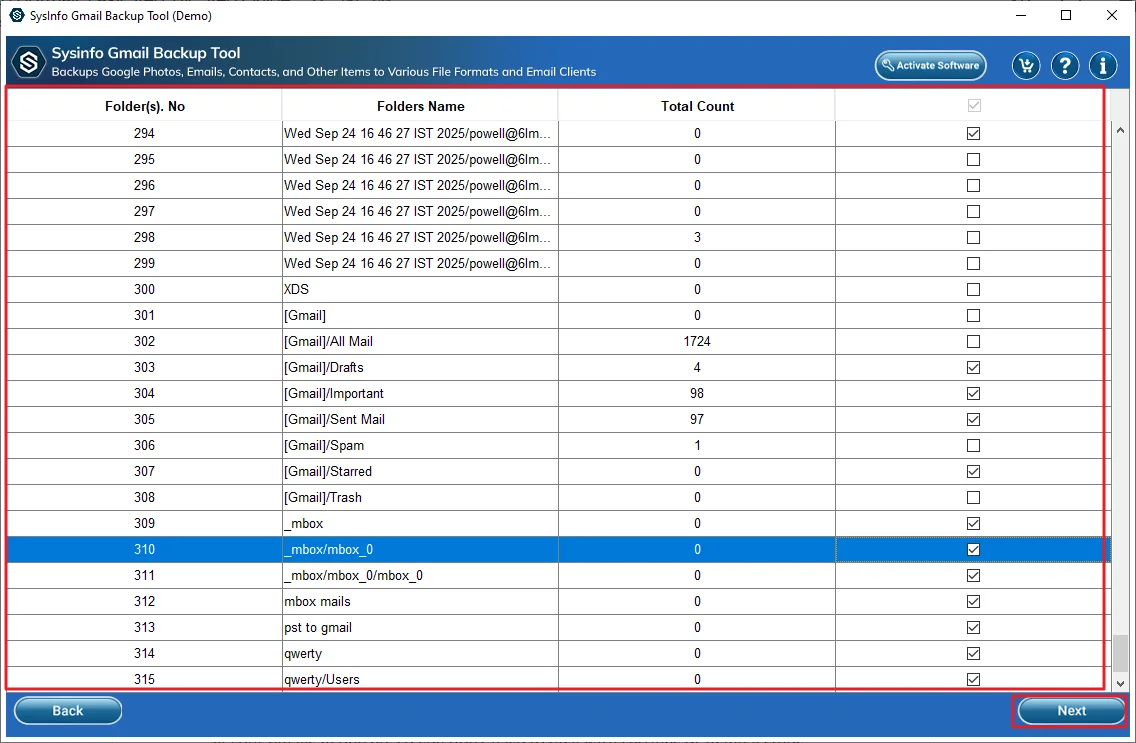
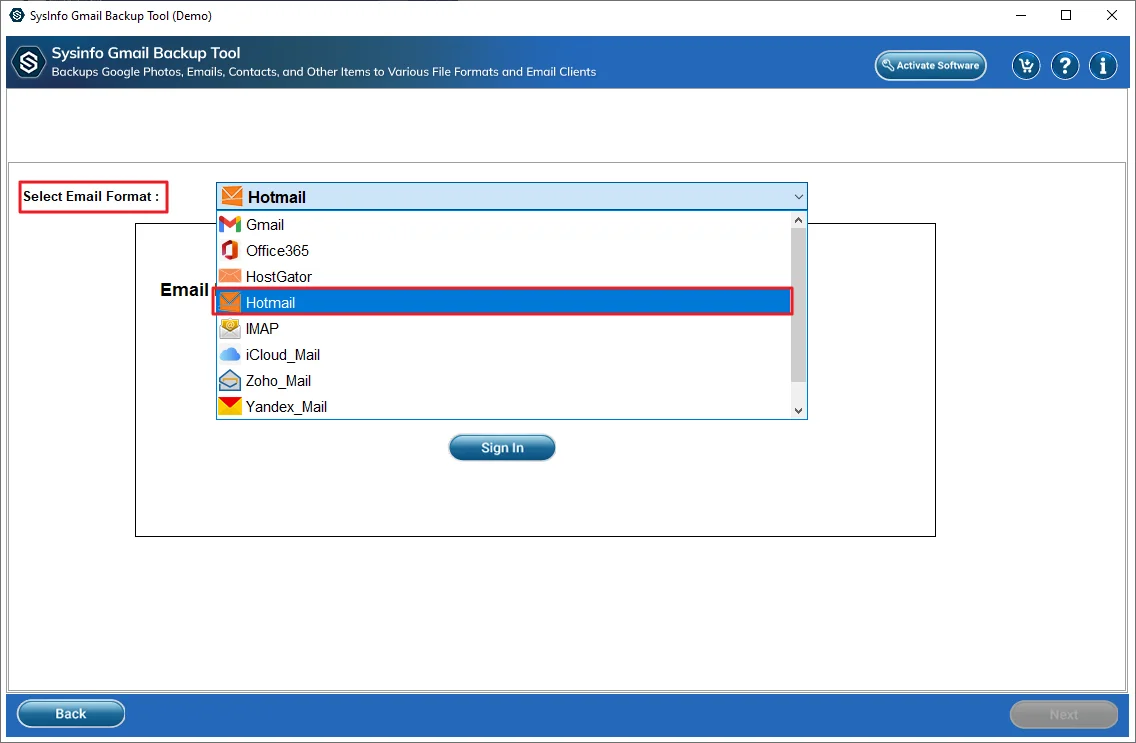
- Then, select Hotmail as the email client.
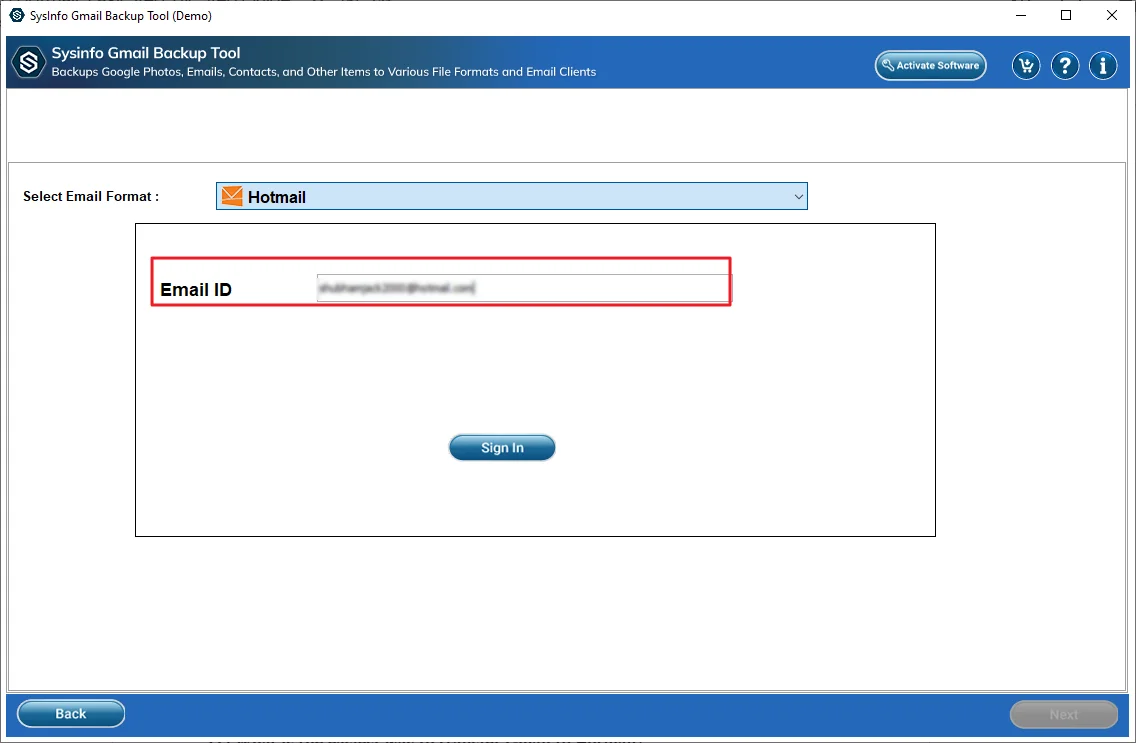
- Now, provide your Hotmail credentials to sign in.
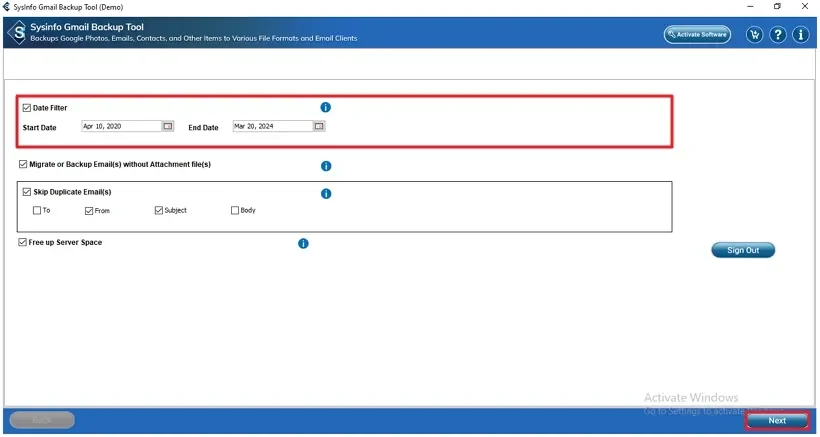
- Next, apply optional filters and features of your choice. Press Next
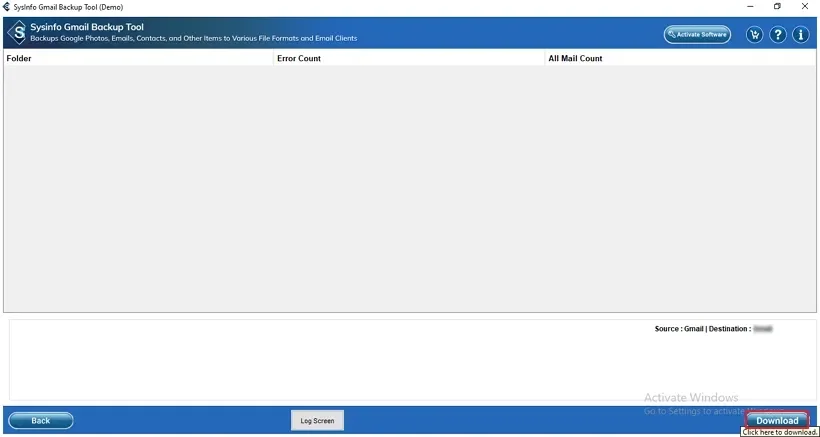
- Lastly. press Download to start the conversion.
Final Statement
In this article, I’ve shared a few simple ways to transfer Gmail to Hotmail. The manual methods do work, but they can take a lot of time. And yes, they can be a bit confusing if you’re not used to these settings. If you want something easier, you can use the MailConverterTools Gmail Backup Tool that saves you a lot of effort. It handles everything on its own and makes the whole process easier.
Frequently Asked Questions
Q.1 What is the easiest way to transfer Gmail to Hotmail?
Ans. The easiest way is to use the MailConverterTools Gmail backup tool. It moves all your emails in one go, so that you don’t have to deal with settings or manual steps.
Q.2 Can I transfer emails from Gmail to Hotmail without technical skills?
Ans. Yes, you can. The MailConverterTools Gmail backup tool makes it simple. You just log in and follow a few steps. No technical knowledge needed.
Q.3 Is it safe to transfer emails from Gmail to Hotmail?
Ans. Yes, it’s safe if you use trusted methods or a reliable MailConverterTools Gmail backup tool. Your emails and attachments stay intact during the process.
Q.4 Can I transfer all Gmail emails to Hotmail in bulk?
Ans. Yes, you can transfer everything at once using the MailConverterTools Gmail backup tool. It saves a lot of time compared to doing it manually.
About The Author:

Vikas Bajpai is a results-driven SEO expert and content strategist with a strong passion for building impactful digital experiences. He specializes in crafting data-backed content plans that boost visibility, engage audiences, and drive measurable growth. With deep expertise in search engine optimization, keyword strategy, and content marketing, Vikas helps brands strengthen their online presence and achieve long-term success.
Related Post