-
Written By Vikas Bajpai
-
Updated on April 17th, 2026
Best Way to Import Eudora to Thunderbird Fast and Securely
Michael Query:- “I’ve got a bunch of emails sitting in Eudora, and I need to move them over to Mozilla Thunderbird. Not really sure what the easiest way is. I just don’t want anything missing, especially attachments.”
Moving from Eudora to Mozilla Thunderbird is something many people do now, mainly because Eudora isn’t supported anymore. The main issue isn’t switching; it’s the emails. If you’ve got years of data sitting there, you don’t want anything missing or messed up. Because of that, you’ll need a way that actually works without making things. This blog explains the manual method and a professional MailConverterTools MBOX Converter Tool to import Eudora to Thunderbird for a hassle-free process.
Eudora vs Thunderbird File Format
|
Feature |
Eudora |
Mozilla Thunderbird |
|
Default Mail Format |
MBX (mailbox files) |
MBOX (standard mailbox format) |
|
Compatibility |
Limited support (older client) |
Widely supported across email clients |
|
Attachments Handling |
Stored within the MBX file |
Stored within the MBOX file |
|
Readability |
Needs Eudora or a converter |
Can be opened by many tools |
|
Migration Support |
Not directly supported in modern tools |
Easily import/export supported |
|
Current Status |
Discontinued / outdated |
Actively maintained and updated |
Common Errors: Migrate Eudora to Thunderbird
- Thunderbird doesn’t find Eudora when trying to import.
- Emails come in, but folders are all mixed up.
- Some emails open blank or don’t show the full content.
- Attachments are missing after moving the emails.
- Same emails show up more than once.
- Import starts but gets stuck in between.
- Some emails show weird or broken text instead of normal words.
How to Import Eudora to Thunderbird?
When users try to move emails from Eudora to Thunderbird, they usually want something quick. Built-in manual methods can help, but they don’t always work smoothly. Using a professional MBOX Converter Tool makes things easier.
Way 01: Native Method to Convert Eudora to Thunderbird
To use this method, you should have Mozilla Thunderbird installed first. Also, your Eudora files need to be in MBOX format. Since direct import isn’t supported, you’ll need an add-on.
Simple Steps to Start The Conversion:
- First, open Mozilla Thunderbird on your computer.
- Then head to Tools → Add-ons and Themes.
- Afterwards, search for ImportExportTools NG, and install it.
- Now, restart Mozilla Thunderbird.
- Furthermore, right-click on Local Folders.
- Next, select ImportExportTools NG >>Import MBOX file.
- Now, select Import directly one or more MBOX files.
- Browse, select your converted Eudora MBOX files.
- Lastly, click Open to start the import.
Loopholes:
- Doesn’t work with Eudora (.mbx) files directly.
- You have to convert files to MBOX first.
- It is confusing for a non-technical user.
- Emails or attachments might not come through properly.
- Folder setup can get messy after import.
- Not a good option if you have a lot of emails.
Way 02: Expert Solution to Import Eudora to Thunderbird
If you’ve got a lot of emails, things can get messy quickly. That’s where the MailConverterTools MBOX Converter Tool comes in. It moves your Eudora emails into Thunderbird without breaking anything. Your folders and attachments stay the same. You don’t really need technical skills to use it. And it can also move MBOX files to IMAP or other email accounts if needed.
Quick Steps to Export Eudora Mail to Thunderbird:
- Firstly, install and download the MBOX Converter Tool. Click Continue.
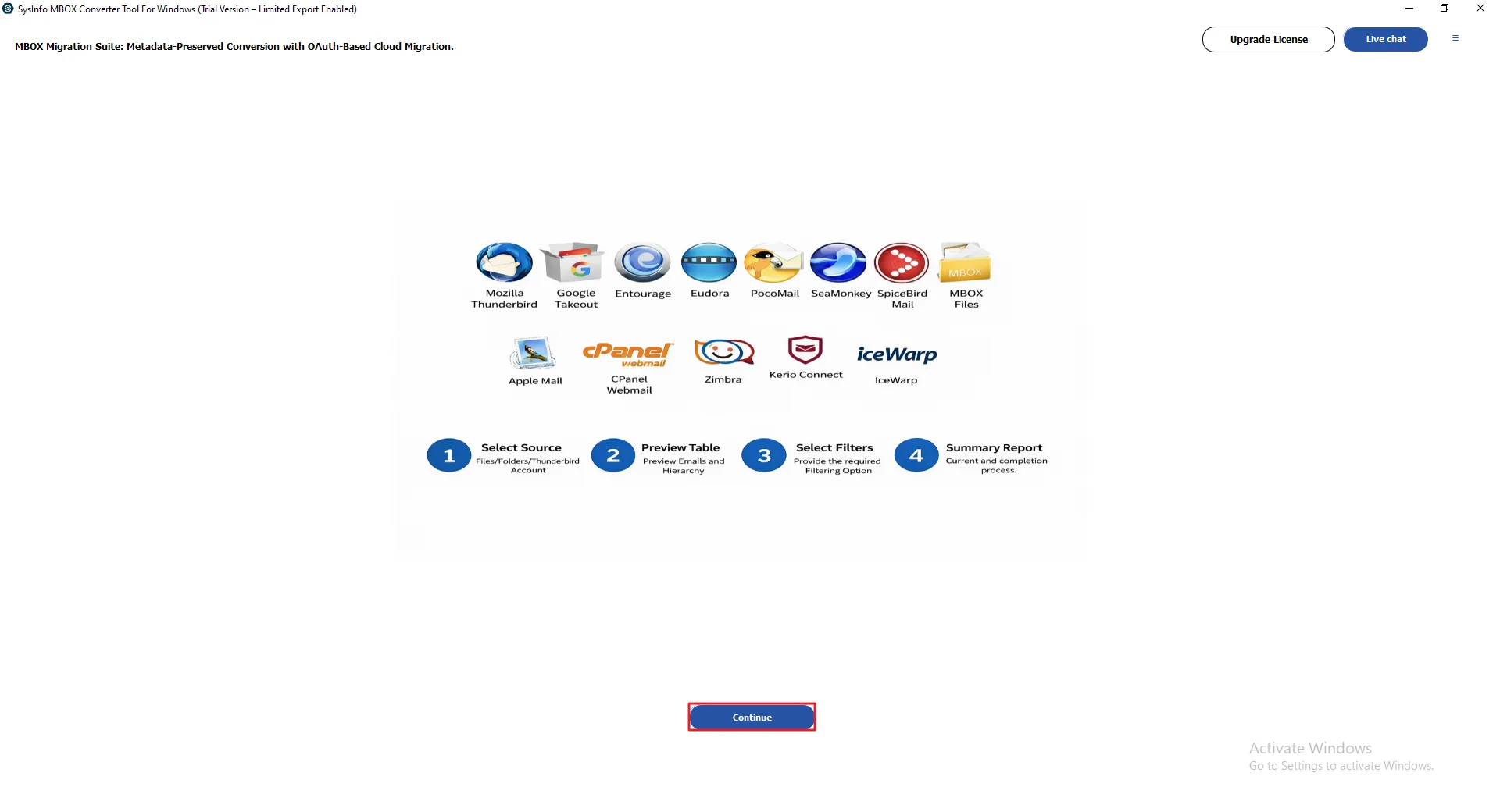
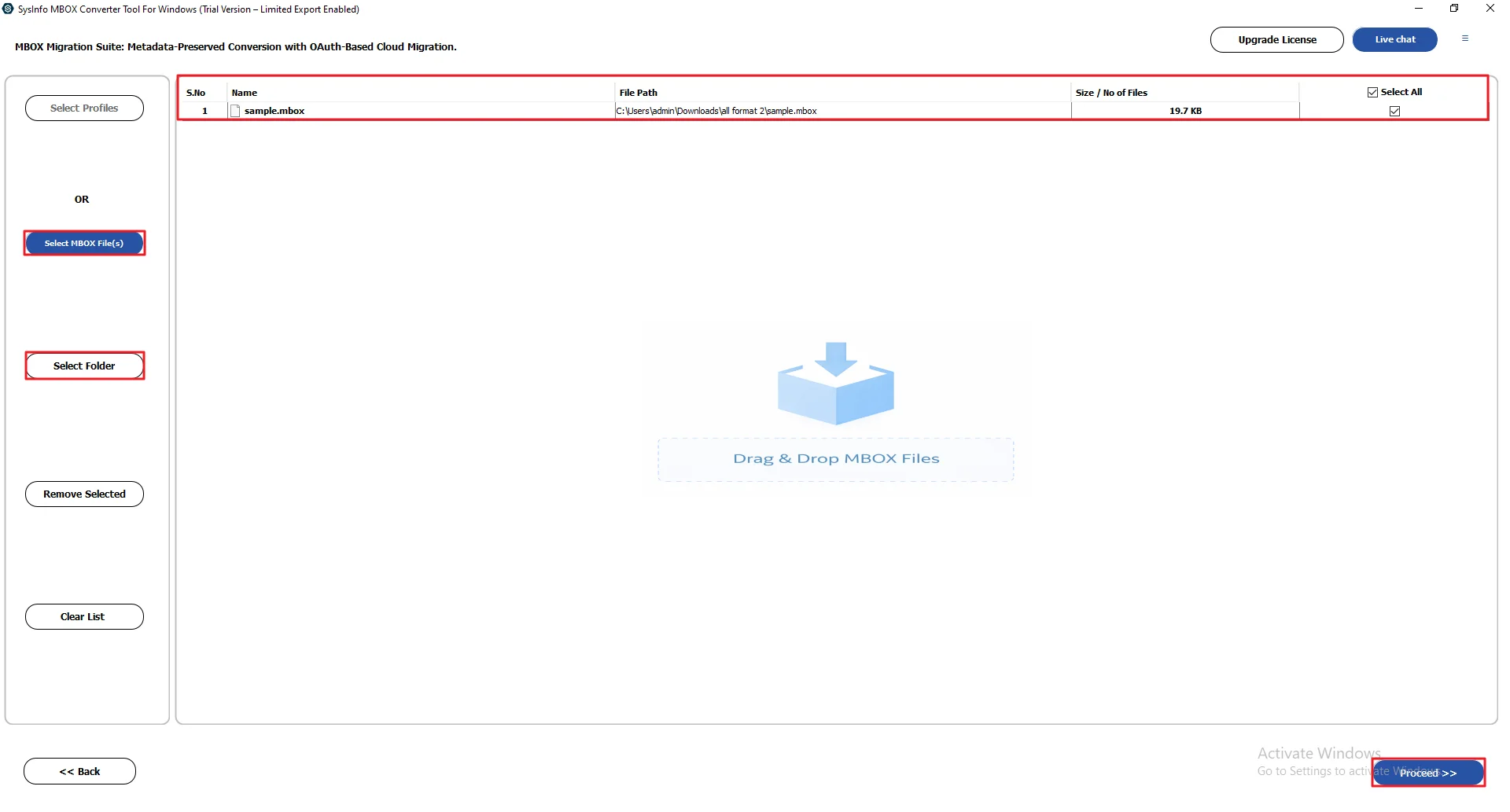
- After that, click Select MBOX File(s) / Select Folder to add the MBOX files and click Proceed.
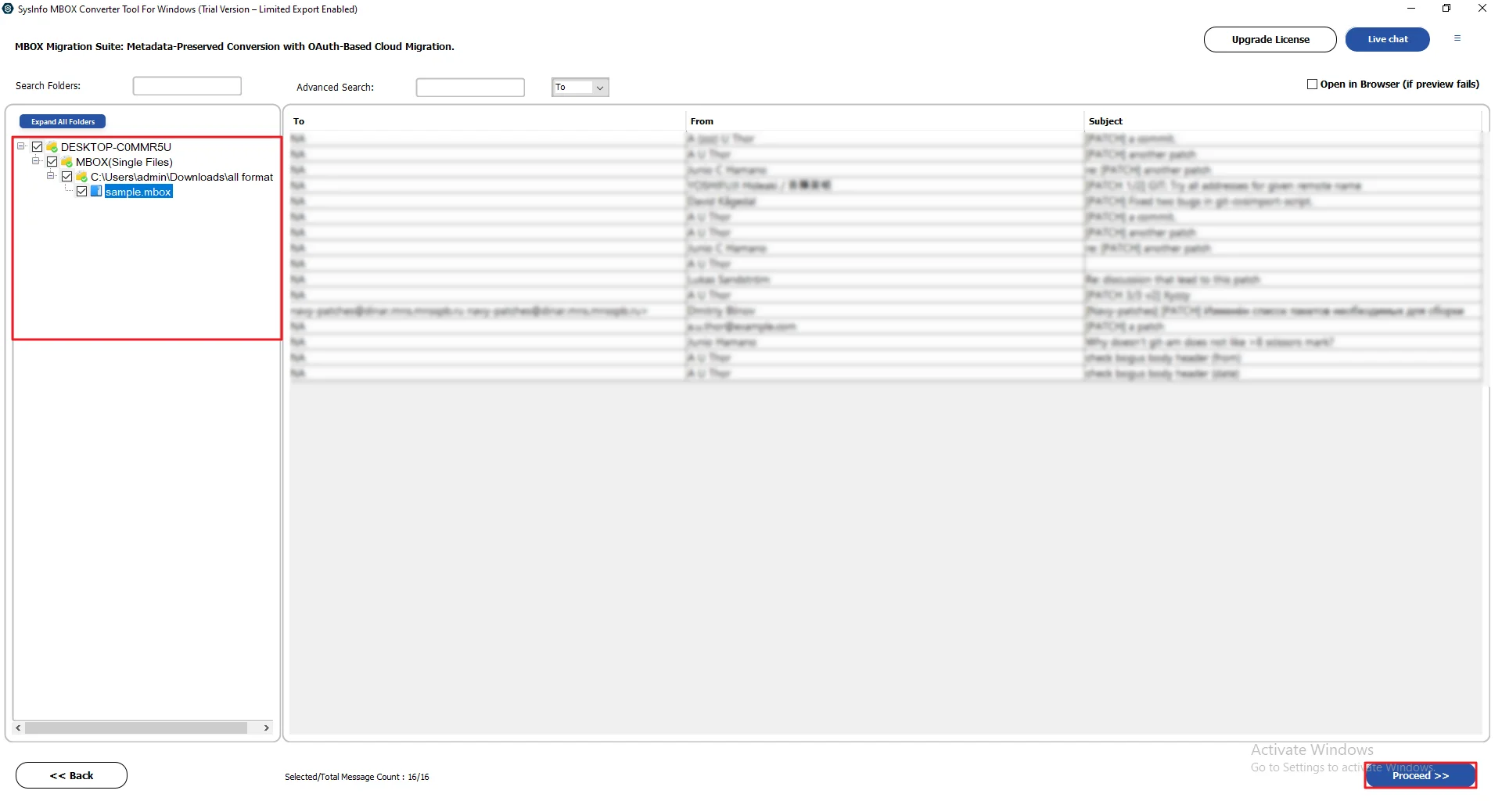
- Thereafter, preview and select your files and press Proceed.
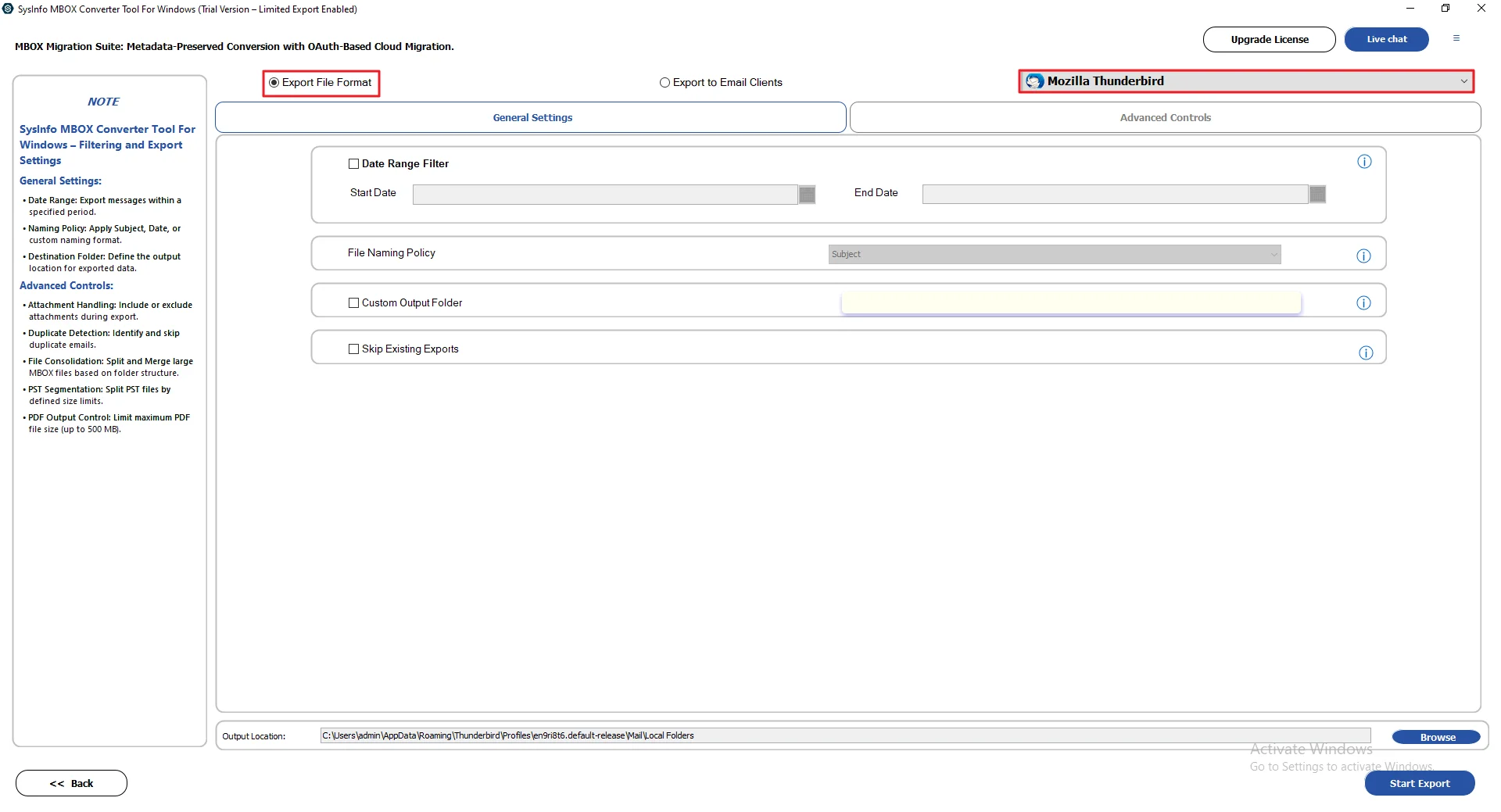
- Then, select Mozilla Thunderbird as the file format for saving.
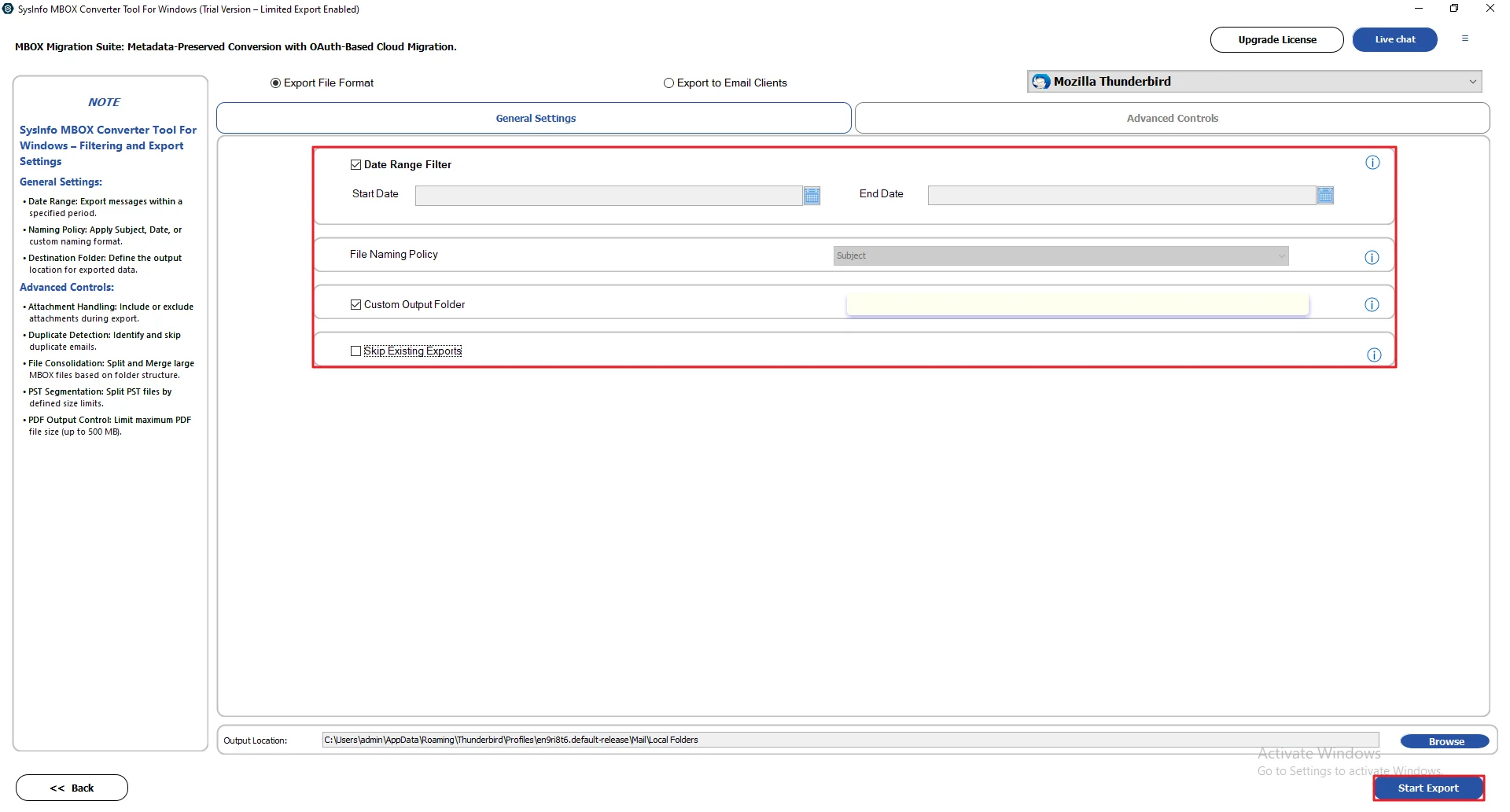
- At last, apply optional filters or features and click Start Export.
Real-Life Scenario
Alex was using Eudora for a long time and had a lot of old emails saved. When he switched to Mozilla Thunderbird, moving that data wasn’t easy.
He first tried the manual method. It worked a bit, but repeating the steps took too much time.
Later, he used the MailConverterTools MBOX Converter Tool. It moved all his emails quickly, and everything came through properly.
Why Enterprises Choose The Professional Method?>
- MBOX files can be converted into PST, EML, MSG, or CSV.
- Supports bulk conversion of emails without losing data.
- Emails can be moved to Gmail, Outlook, or other mail services.
- The preview option is available for emails and attachments.
- Duplicate emails are skipped during the process.
- Option to save output in the same folder.
- Multiple MBOX files can be combined into one PST file.
Final Conclusion
In this blog, we went through how to import Eudora to Thunderbird. We talked about both options, manual and tool-based. The manual way does work, but it can take time at first. You just need to go step by step. If you’ve got a lot of emails, a tool will save you time and effort.
Frequently Asked Questions
Q.1 What is the best tool to import Eudora emails into Thunderbird?
Ans. A reliable option is the MailConverterTools MBOX Converter Tool. It helps convert Eudora data into a format that Mozilla Thunderbird can easily import.
Q.2 Is it safe to migrate Eudora emails to Thunderbird?
Ans. Yes, it’s safe if done properly. Using tools like the MailConverterTools MBOX Converter Tool helps keep your emails and attachments intact.
Q.3 Can I bulk transfer Eudora emails to Thunderbird without data loss?
Ans. Yes, bulk migration is possible. A tool like MailConverterTools MBOX Converter Tool can handle large data and keep folders and emails safe during transfer.
Q.4 Can I migrate Eudora emails to Thunderbird without technical skills?
Ans. Yes, you don’t need much technical knowledge. The MailConverterTools MBOX Converter Tool has simple steps, so even beginners can use it without much trouble.
About The Author:

Vikas Bajpai is a results-driven SEO expert and content strategist with a strong passion for building impactful digital experiences. He specializes in crafting data-backed content plans that boost visibility, engage audiences, and drive measurable growth. With deep expertise in search engine optimization, keyword strategy, and content marketing, Vikas helps brands strengthen their online presence and achieve long-term success.
Related Post