-
Written By Amit Chandel
-
Updated on January 10th, 2026
Best Methods to Convert OST to PST Files Safely
Janne’s Query: How can I convert my OST file into PST format safely? I want to store them in PST format so I can use them as legal evidence and for my future backup.
Summary: The large OST files used by Outlook to store a local copy of emails can cause issues.
Then the files become difficult to open, and users are unable to access files. Therefore, the user wants to convert OST to PST to recover and use the data again. Many users find this process confusing. This blog explains both manual options and a reliable MailConverterTools OST to PST Converter Tool to handle the conversion safely.
Why is OST to PST Conversion Important?
- OST files only work with the original Outlook account. If that account isn’t there anymore, you can’t open it.
- Changing OST to PST means you can see your emails even without the old account.
- If Outlook crashes or the server is offline, this conversion helps you get your data back.
- PST files are easy to move around or save somewhere safe.
- Doing this stops you from losing important emails and contacts.
Manual Methods to Convert OST to PST Format Safely
This method is totally free, but it requires Outlook on your system. This method may be confusing or technical, but it helps you to get the correct result.
Method 1: Import OST to PST Using Outlook Export
- Firstly, open Outlook with the profile linked to your active Exchange account.
- Then, go to File > Open & Export.
- After that, choose Import/Export to open the wizard.
- Thereafter, select Export to a File and click Next.
- Then, pick Outlook Data File (.pst) and hit Next.
- Find your OST folders in the list, select the ones you want to export, and click Next.
- Afterward, click Browse to choose where to save the new PST file.
- Decide how to handle duplicates, then click Finish to convert OST File to PST.
- At last, Outlook will create a PST file at the chosen location with the selected data.
Limitations
- You need the old Outlook account to still work. If it’s already removed, you really can’t do much.
- The archive option mostly grabs old emails. Moving everything properly needs extra checking.
- Outlook doesn’t explain what’s happening in the background. If something goes wrong, you’re left guessing.
- These steps don’t help much when the OST file is already broken or won’t open.
Professional Method to Convert OST to PST Safely
If manual methods are not able to solve your problem at that time, MailConverterTools OST Converter Tool is the only choice. This efficient utility offers many filters and features to optimize your results. Also, this tool and authority promise you that no data will be stored during the process. Additionally, this tool supports more file formats, for example, convert OST to CSV, EML, MSG, and more formats.
Steps to Export OST file to PST
- Firstly, download the OST Converter Tool.
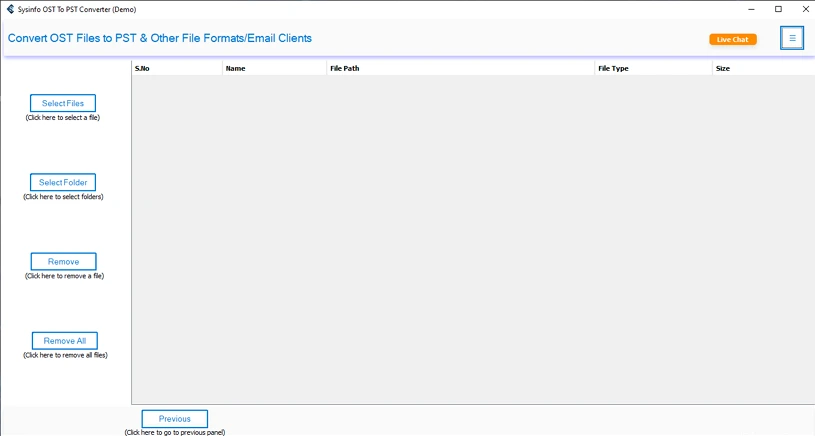
- Then, add your OST file or folder and click Next.
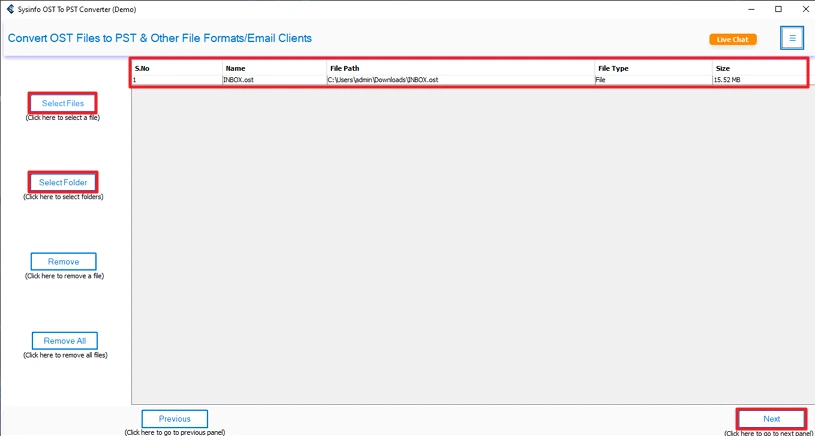
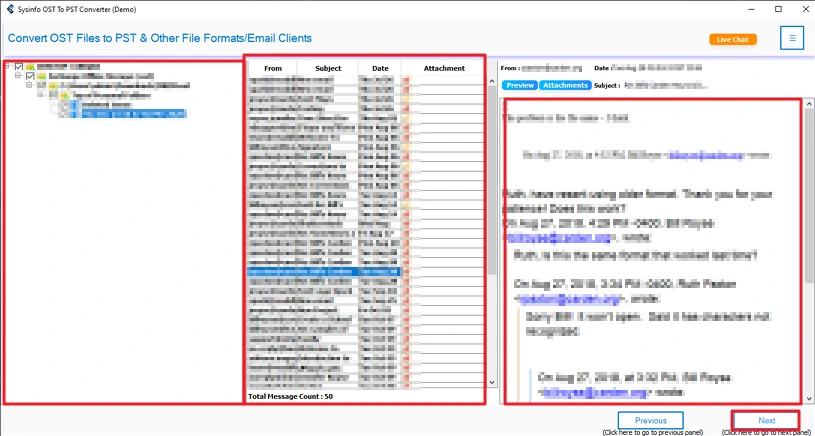
- After that, select and preview your file and click Next.
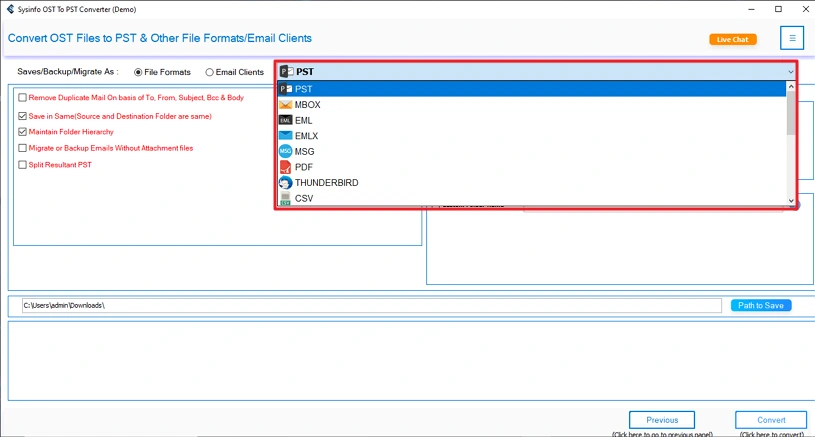
- Thereafter, choose the PST format to convert.
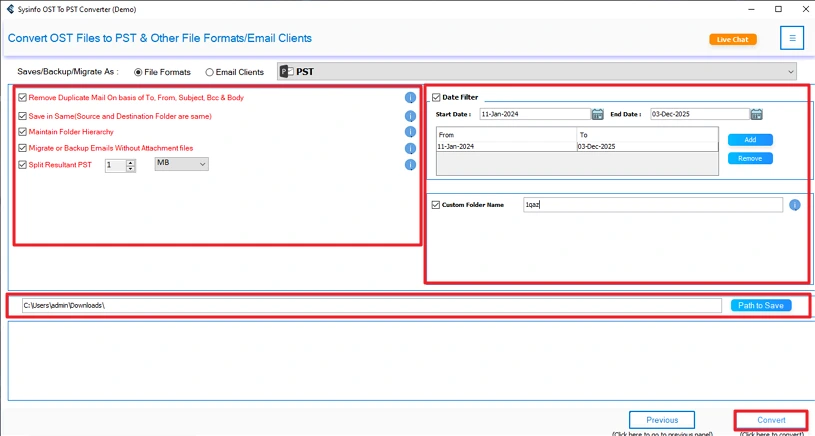
- Finally, apply important filters and set the destination, then click Convert.
Successful User Case
Joe from London uses our MailConverterTools OST Converter Tool to convert his files from OST to PST. This tool helps him to convert his file with complete efficiency. Also, he uses our smart tool to import OST to Office 365 and gets the accurate and correct results in very minimal time.
Conclusion
You can use the manual method and a professional tool to convert OST to PST. For the manual method, you need Outlook installed on your system. But with the OST Converter Tool, you don’t need any external software. This tool makes the process simple and accurate. It can convert your OST file to many other file formats and email clients. For any help and guidance related to the tool, you can contact our technical support team.
Frequently Asked Questions
Q1: How can I convert OST to PST files safely without data loss?
Ans: yes you can convert your file from OST to PST format easily without losing any data. The MailConverterTools OST Converter Tool helps you to convert the file without losing any data or formatting. It provides the best and most accurate results.
Q2: How to convert an orphaned OST file to PST?
Ans: By using the OST Converter Tool, you can convert an orphaned OST file to PST format without any hassle. This allows you a safe and secure migration of files.
Q3: Does OST to PST conversion retain email attachments and metadata?
Ans: With manual methods, you may lose attachments and the metadata. To convert a file with an email attachment and metadata, use the MailConverterTools OST Converter Tool.
Q4: Are encrypted or password-protected OST files supported for conversion?
Ans: You need to decrypt the file to convert it into any format. Then you can use MailConverterTools OPST Converter Tool for efficient and effective results.
About The Author:

Meet Amit, an experienced SEO expert and content planner. He uses his creativity and strategy to create content that grabs attention and helps brands reach their goals. With solid skills in digital marketing and content planning, Amit helps businesses succeed online.
Related Post