-
Written By Amit Chandel
-
Updated on January 12th, 2026
Quick Way to Import ICS to Google Calendar: Proven Method
Managing your schedule is easy when all your events are in one place. If you have an ICS file from another calendar app or any email invite. Then adding it to your Google Calendar helps you to keep everything organized. This blog explains how to import ICS to Google Calendar, using manual methods or an expert-recommended MailConverterTools ICS File Converter that makes your work easier and faster. If you are a professional or a student, having your schedule in one place helps you stay on track.
What is an ICS File?
An ICS file is a calendar file format used by most calendar apps (like Outlook, Apple Calendar, Thunderbird, etc.). It contains information about events such as title, time, date, location, and reminders.
What Happens When You Import iCalendar to Google Calendar?
Importing ICS to Google Calendar helps you in many ways. Some of the benefits are:
- It helps you to manage all your events in one place. So that you can easily access.
- Prevents you from missing any important meetings or deadlines.
- Importing to Google Calendar makes sharing and syncing your data across devices easier.
- It also helps professionals, students, and teams stay on schedule.
- After importing, it improves data accuracy and keeps everything organized.
|
User Query: “I downloaded an ICS file for an event, but I don’t know how to import it to my Google Calendar. Can anyone guide me through the process?” |
Various Techniques to Import ICS to Google Calendar
There are different ways to import an ICS file into Google Calendar that you can use. It can be done manually using Google Calendar settings or by using a professional tool for multiple transfers. Let’s explore the techniques step by step:
Manual Ways to Open ICS File in Google Calendar
Google Calendar helps users to manually import ICS files through its web interface. This is a simple process and ideal for single imports without needing any extra tools. Let’s explore the manual methods:
Method 1: Import ICS File to Google Calendar via Web Browser
In this method, you can easily open and add events from an ICS file using Google Calendar’s import option. Follow the steps:
- Firstly, download the .ics file to your computer.
- After that, start Google Calendar in your preferred browser.
- Now, select the gear icon in the top-right corner and select Settings.
- Further, from the left-hand menu, select Import & Export.
- To proceed, under the Import section, hit Select file from your computer.
- Meanwhile, locate and upload the downloaded .ics file.
- Select the calendar you want the events to appear in and select Import.
- Finally, a message will appear showing how many events were successfully added.
Method 2: Import ICS to Google Calendar Using Drag and Drop
This method is suitable when you receive an event invitation as an ICS attachment in your email. It works best for importing a single event. Now, the steps can be defined as:
- Firstly, start the email containing the .ics file (for example, in Gmail).
- Afterward, download the ICS attachment to your convenient location.
- Further, open Google Calendar in a new browser tab.
- Later, drag and drop the .ics file directly onto the Google Calendar interface.
- Lastly, Google will display an event preview and hit Save to add it to your calendar.
Downsides of Manual Approaches
- By using these manual methods, you cannot import multiple ICS files at once.
- In these methods, you cannot be able to preview events before importing the file.
- If the original calendar changes, those updates would not show up in Google Calendar. You have to import the file again manually.
- The manual methods are time-consuming and require effort to implement.
- If the ICS file is not transferred properly, there is a high chance of data being lost.
Expert Solution to Import ICS to Google Calendar
If you are working with multiple ICS files or looking for a trustworthy and faster way to manage your calendar imports. Then, using a professional tool like the ICS Converter Tool can make the process much easier. This tool supports multiple conversions, maintains all event details, and removes the risk of data loss. It also has a user-friendly interface, so that anyone can use it easily without any difficulty.
Now, follow the steps to complete the process:
- Initially, download, install, and launch the ICS Converter on your system.
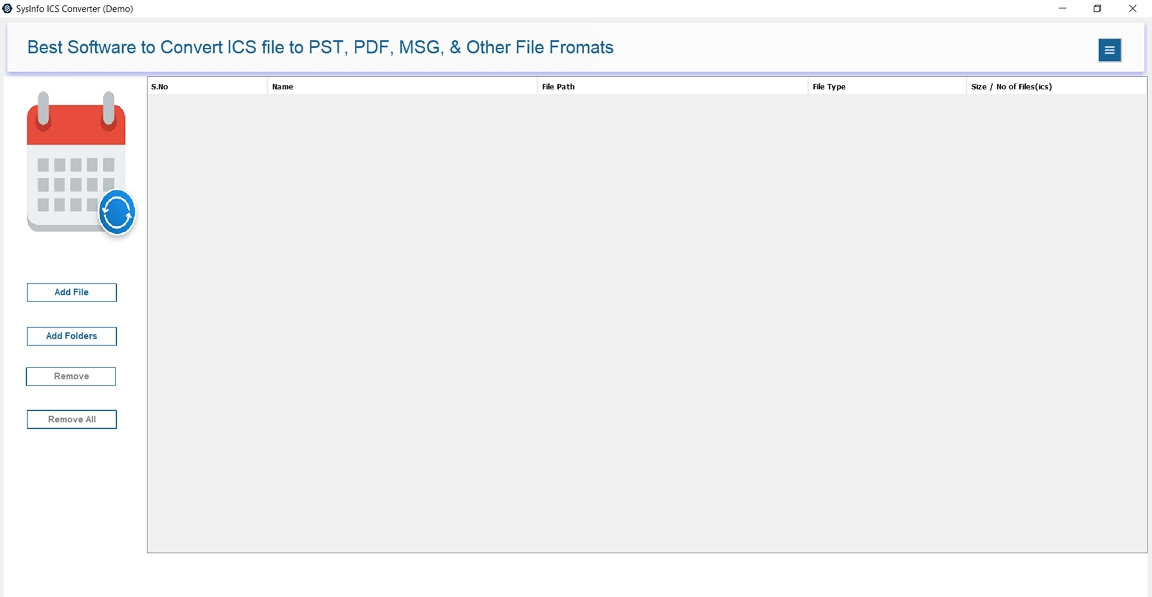
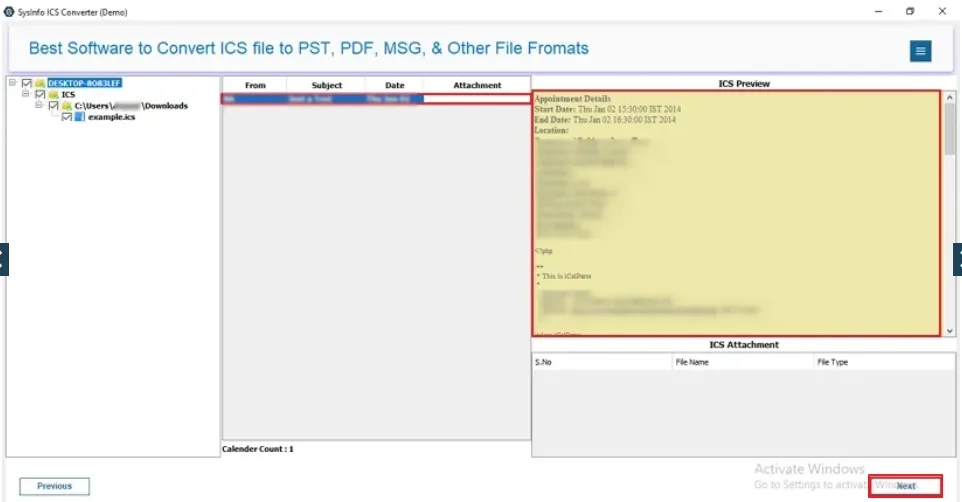
- After that, select Add File or Add Folder to load your ICS files.
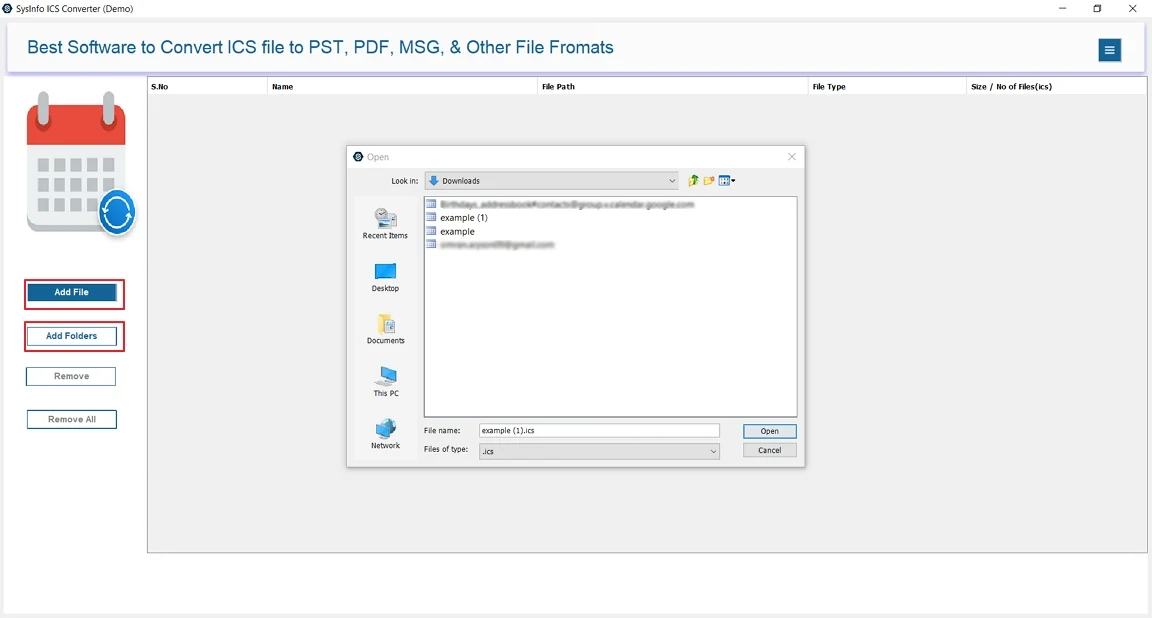
- Further, preview the events to verify the details before transfer.
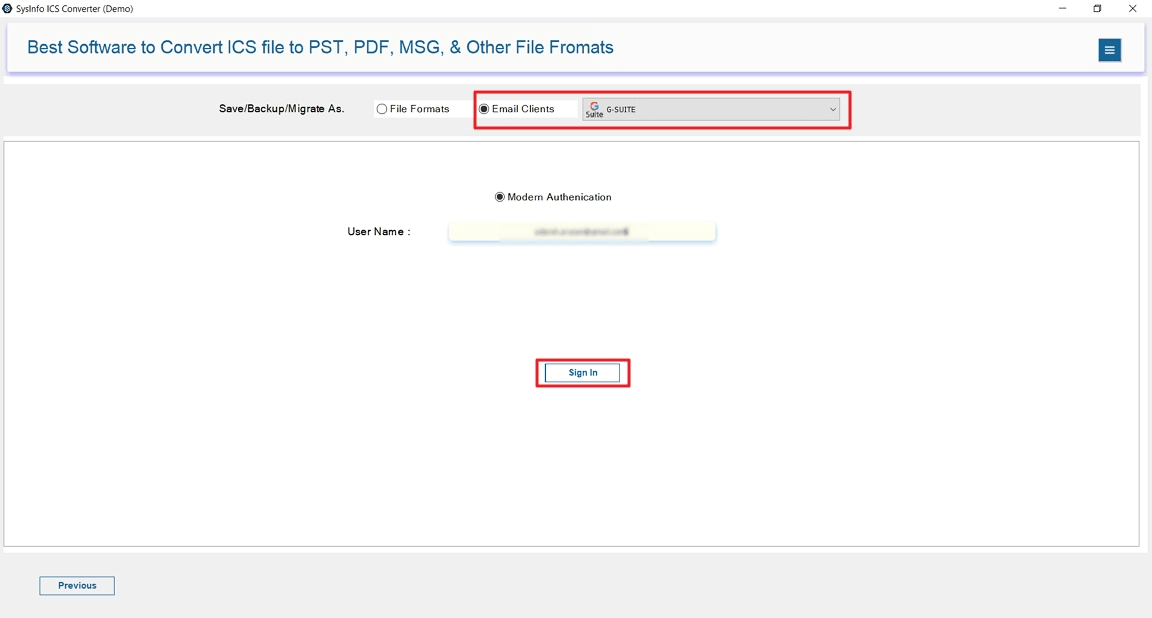
- To proceed, select G Suite under the Email Clients option and sign in with your G Suite ID via secure authentication.
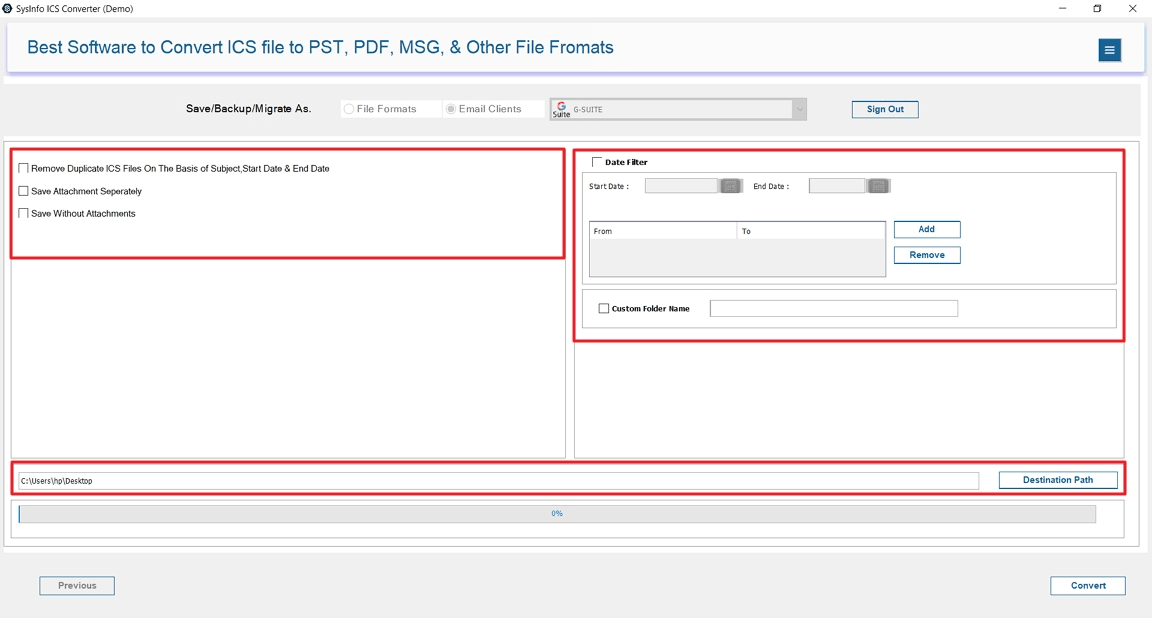
- Later, apply desired filters and select the Google Calendar destination.
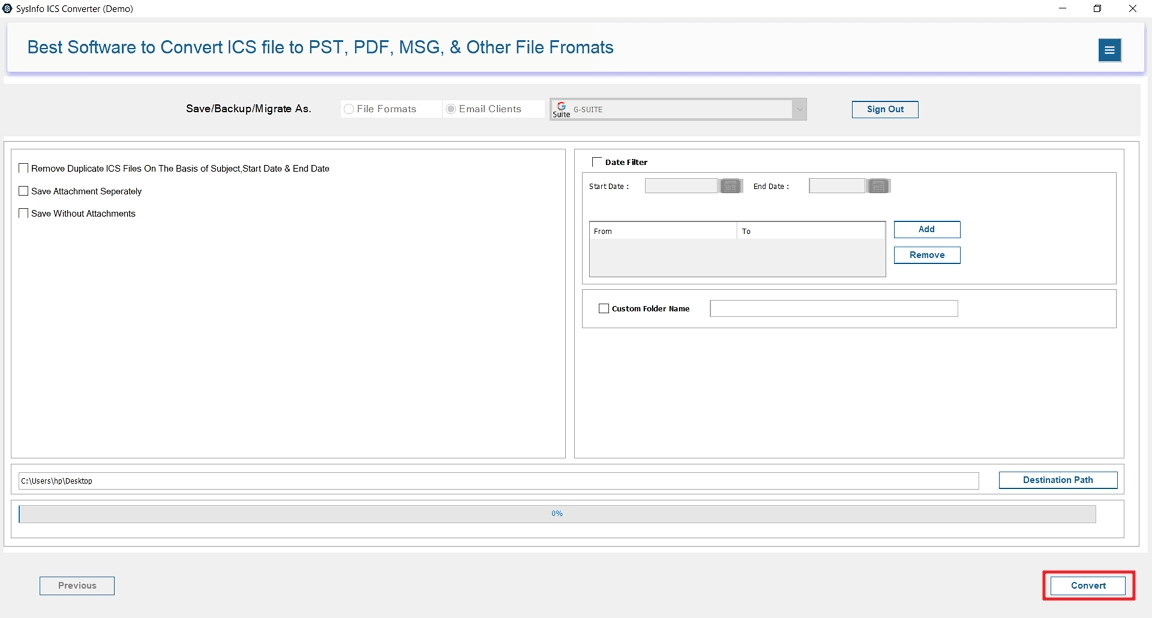
- Finally, select Convert to import the events into your Google Calendar.
Explore More: Import ICS to Google Workspace
Conclusion
Manual methods work well with less number of files, but they are slow, limited, and risky when handling multiple files. For a smoother and more trustworthy process, import ICS to Google Calendar by using an expert tool is the better choice. It supports multiple imports, maintains your data, and directly connects with your Google Calendar account, which saves your time and effort. That’s why professionals also recommend using this tool.
Frequently Asked Questions
Q. Is there a file size limit when importing ICS files to Google Calendar?
Ans- Yes, Google Calendar has a file size limit of 1 MB for ICS file imports. If your ICS file is larger, it fails to import completely. So, it’s better to use a professional tool like ICS Converter to handle large ICS files efficiently.
Q. Can I import ICS files into Google Calendar on mobile?
Ans- No, Google Calendar’s mobile app does not support ICS file imports. You will need to use the desktop version of Google Calendar through a browser to upload ICS files. Once imported, the events will sync and appear on your mobile device automatically.
About The Author:

Meet Amit, an experienced SEO expert and content planner. He uses his creativity and strategy to create content that grabs attention and helps brands reach their goals. With solid skills in digital marketing and content planning, Amit helps businesses succeed online.
Related Post