-
Written By Vikas Bajpai
-
Updated on April 27th, 2026
Complete Roadmap to Migrate Gmail to FastMail in Easy Steps
Daniel Queries:- “I’ve used Gmail for years and now want to transfer my emails to FastMail. But most guides feel confusing and messy. I just want an easy way to move everything without the hassle.”
Planning to switch from Gmail to FastMail? You’re not the only one. People are moving for better privacy and a cleaner inbox. The tricky part is figuring out how to take all your emails with you safely. This blog explores the different methods to migrate Gmail to FastMail. Along with the manual, you will get the reliable MailConverterTools Gmail Backup Tool to migrate Emails from Gmail to Fastmail in a hassle-free manner.
Why Users Transfer Emails From Gmail to FastMail?
- FastMail has strong security, like 2FA and safe servers.
- It doesn’t scan your emails for ads.
- Users can use your own domain for a professional email.
- It keeps things private and simple.
- The interface is clean and has no ads.
- Customer support is more responsive.
- You get more control over filters and folders.
Before You Migrate Gmail to FastMail
- Check that your Gmail is opening and working fine.
- Keep your FastMail login details ready.
- In addition, make sure IMAP is turned on in Gmail settings.
- It helps with moving emails smoothly.
- Take a backup of important emails.
- Just in case something goes wrong.
Different Manual Methods to Move Gmail emails to FastMail
Now that you understand the process, let’s look at the manual ways to move your emails. There are different options based on how much data you want to transfer. Some methods are quick for a few emails, while others take more time but give better control. Let’s go through the different manual methods step by step.
Method 01: Migrate Gmail to FastMail Using Built-in Import Option
If you want a simple way to move your emails, this method works well. FastMail gives you a built-in option to import data directly from Gmail. You don’t need any extra tools or technical setup here.
Fundamental Steps to import Gmail emails into FastMail:
- Start by signing into Gmail. After that, open FastMail and enter your login details.
- Then, in FastMail, go to Settings >> Import & Setup option.
- Furthermore, click Import Mail, and select Import from Gmail.
- Now, provide your Gmail login details and sign in.
- Give the required permissions when asked.
- Then, just follow the steps on screen to finish the import.
Method 02: Switch email from Gmail to FastMail
If you just want to move a few emails, this is the easiest way to do it. You can simply forward them from Gmail to your FastMail account, no extra setup needed.
Verified Steps to Start The Conversion:
- First, open Gmail and log in.
- Then go to your inbox and choose the emails you want to move.
- Now, click Forward / choose Forward as an attachment.
- Lastly, enter your FastMail email address in the recipient field. Click Send.
Drawbacks of The Native Method:
- It takes a lot of time if you have many emails.
- You end up doing the same steps again and again.
- Not a good option for large mailboxes.
- Folders don’t stay organized the same way.
- Some emails or attachments can get missed.
- It can feel tiring and a bit confusing after a while.
Top- Notch Solution to Migrate Gmail to FastMail
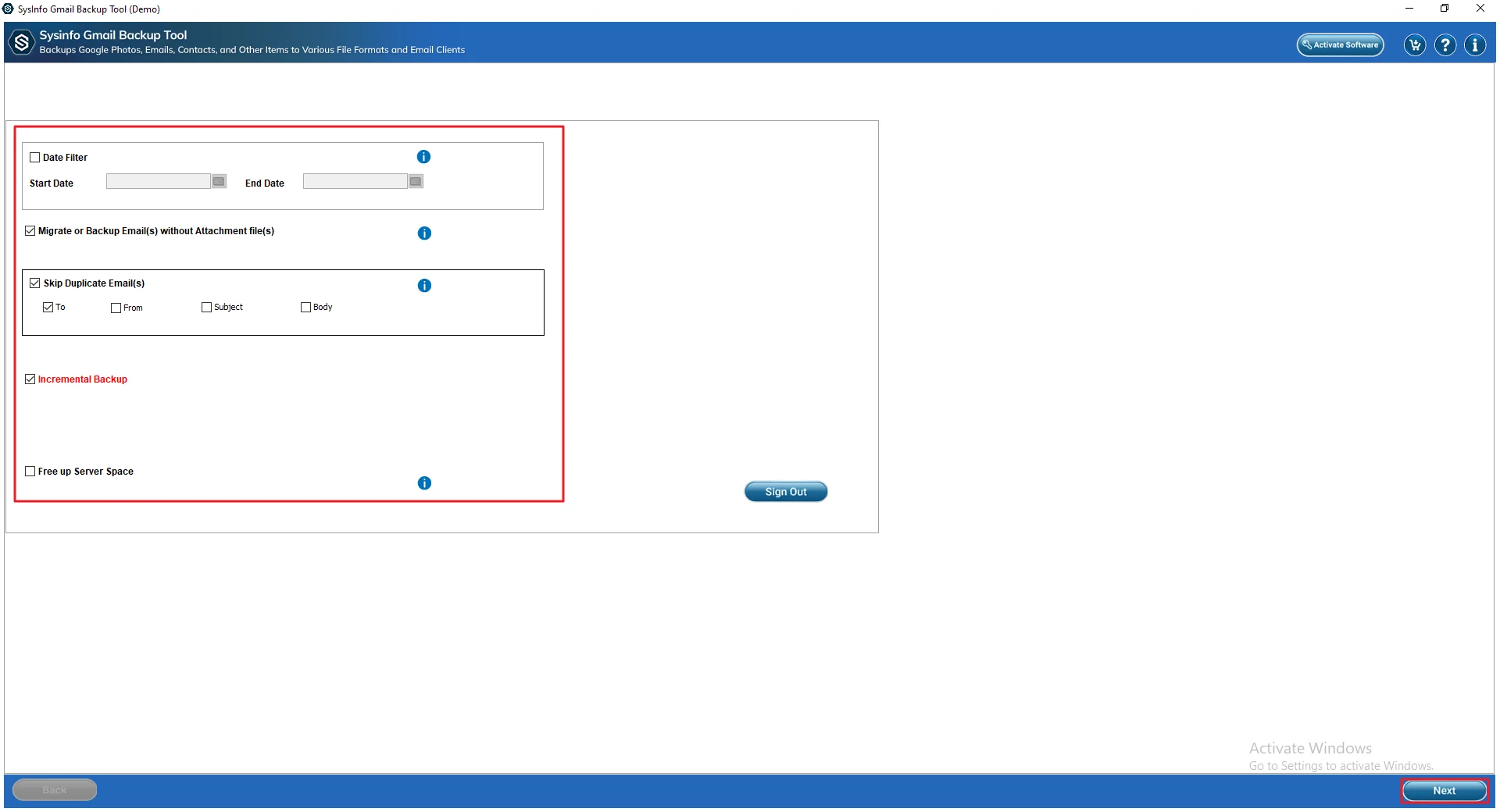
This MailConverterTools Gmail Backup Tool helps you move emails from Gmail to FastMail in a few steps. You can add one account or multiple accounts at once. There’s also a date filter if you only want emails from a specific time. Moreover, it can download data like emails, contacts, calendars, and drive files. Likewise, you can also migrate Gmail to Yandex Mail and other accounts like Office 365 or IMAP. It has an option to clear space from your Gmail after the process.
Verified Steps to Switch Email From Gmail to FastMail:
- First, install and launch the Gmail Backup tool.
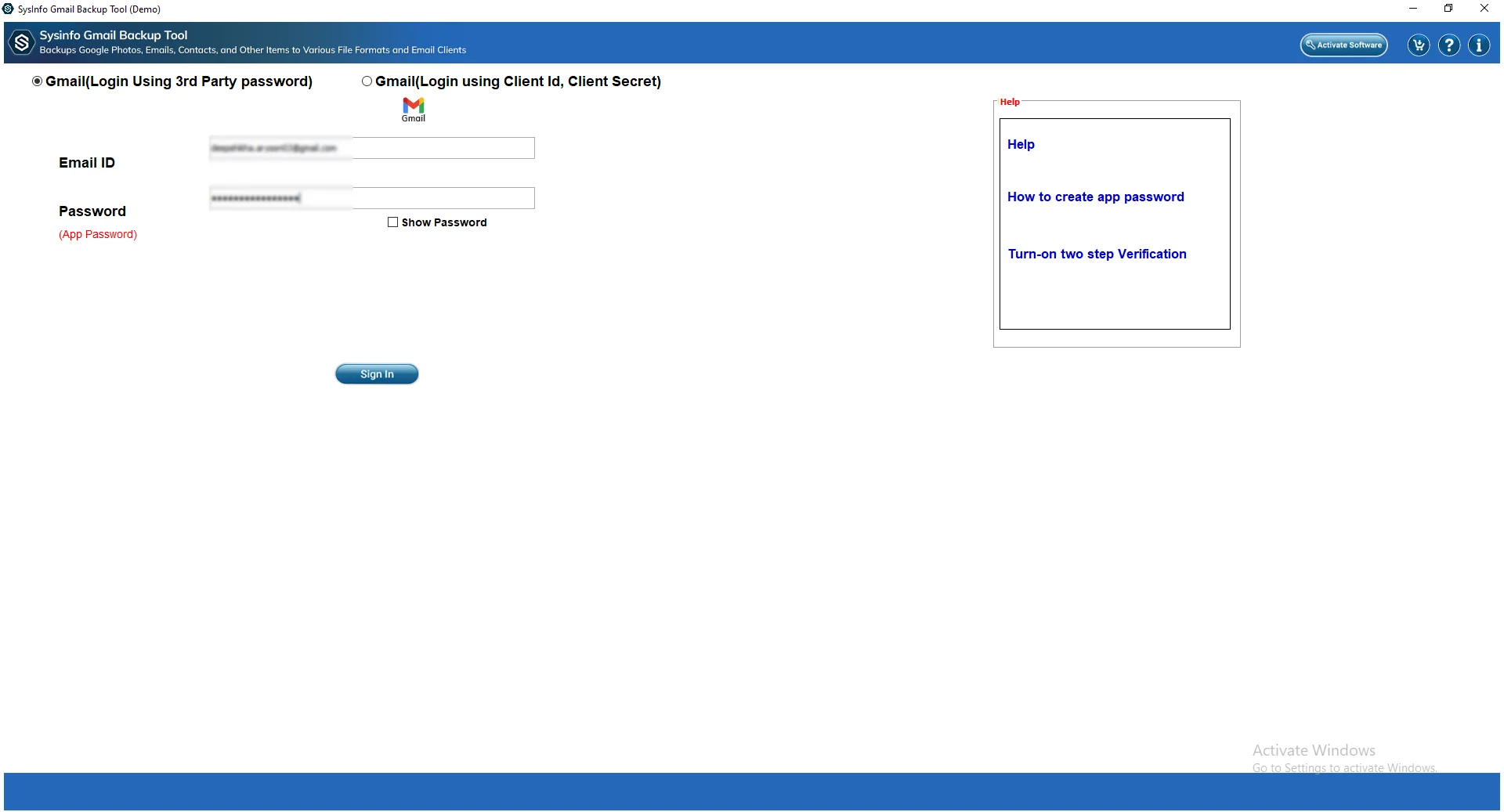
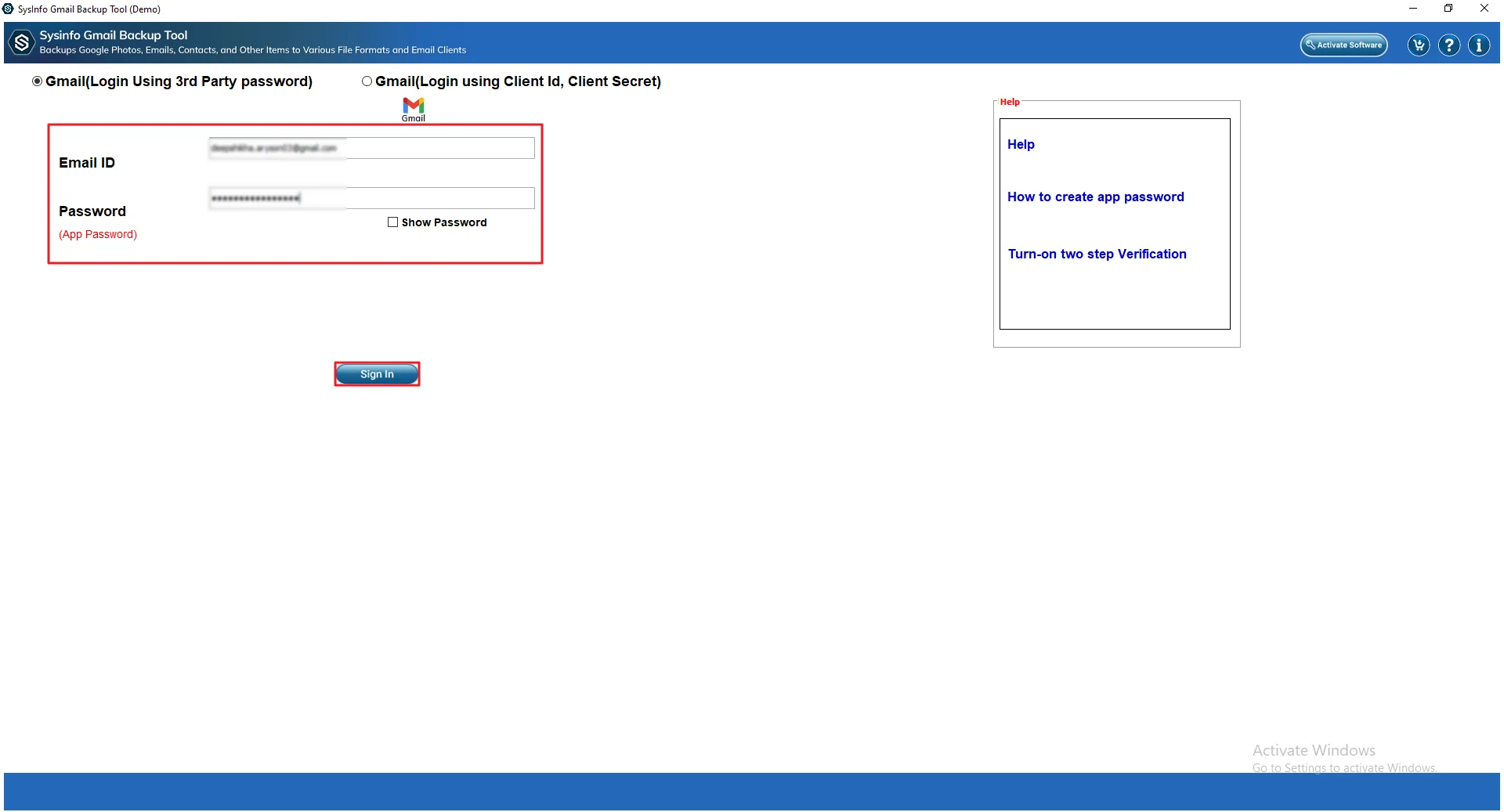
- Then add your Gmail login details and click Sign In.
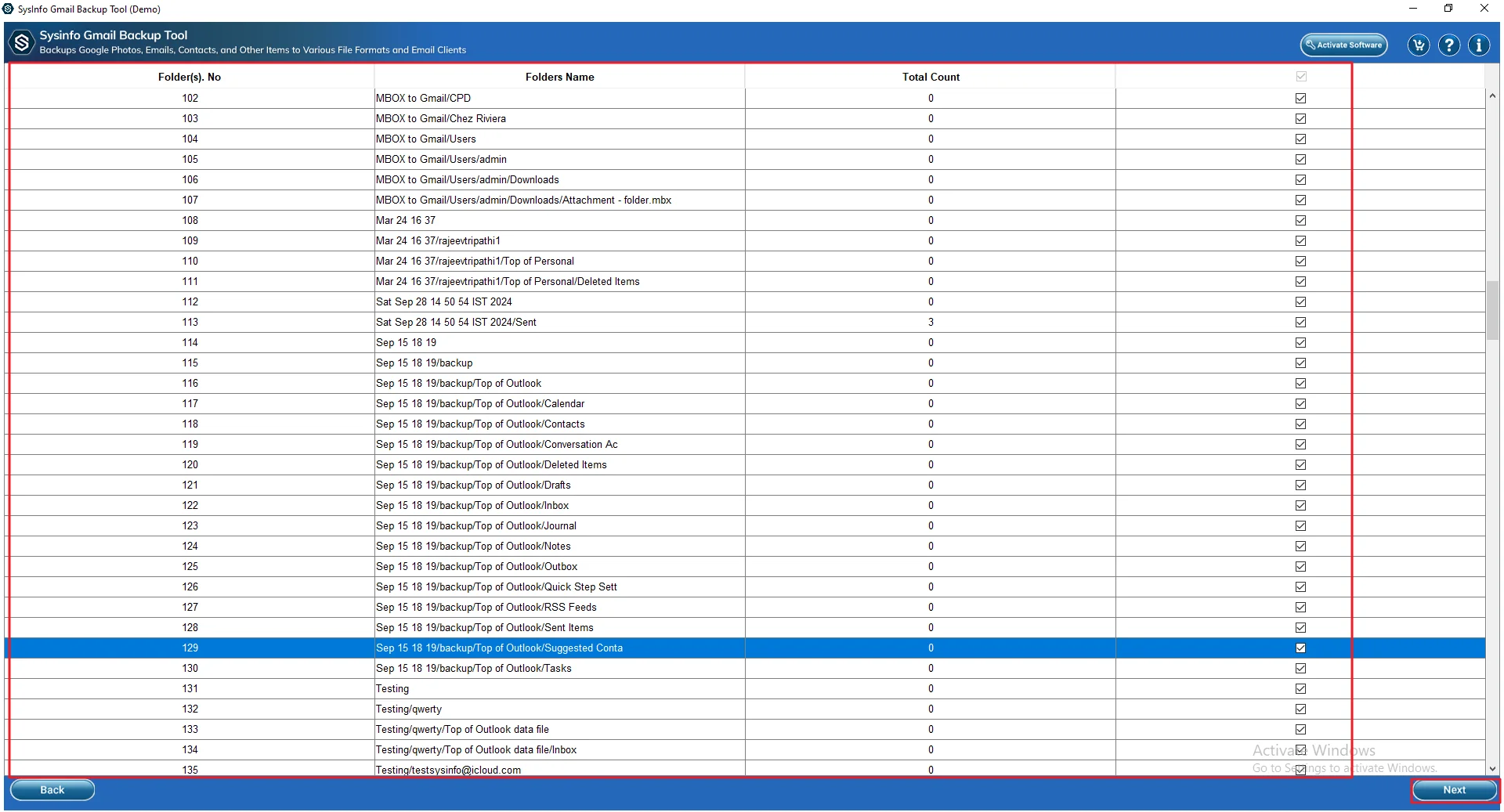
- Afterwards, select and preview the files or folders and click Next.
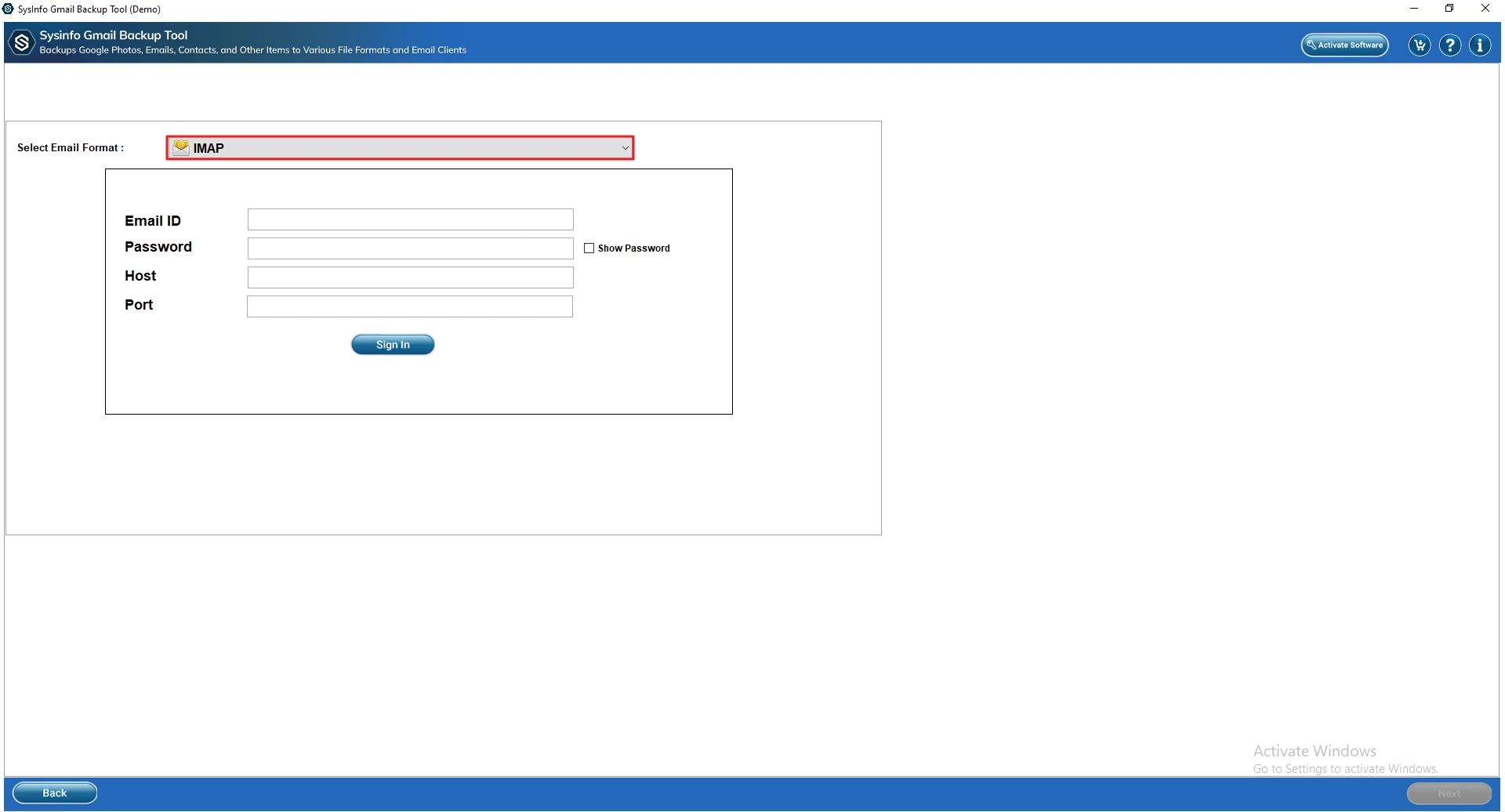
- Then, select IMAP from the Migrate in Email Client options.
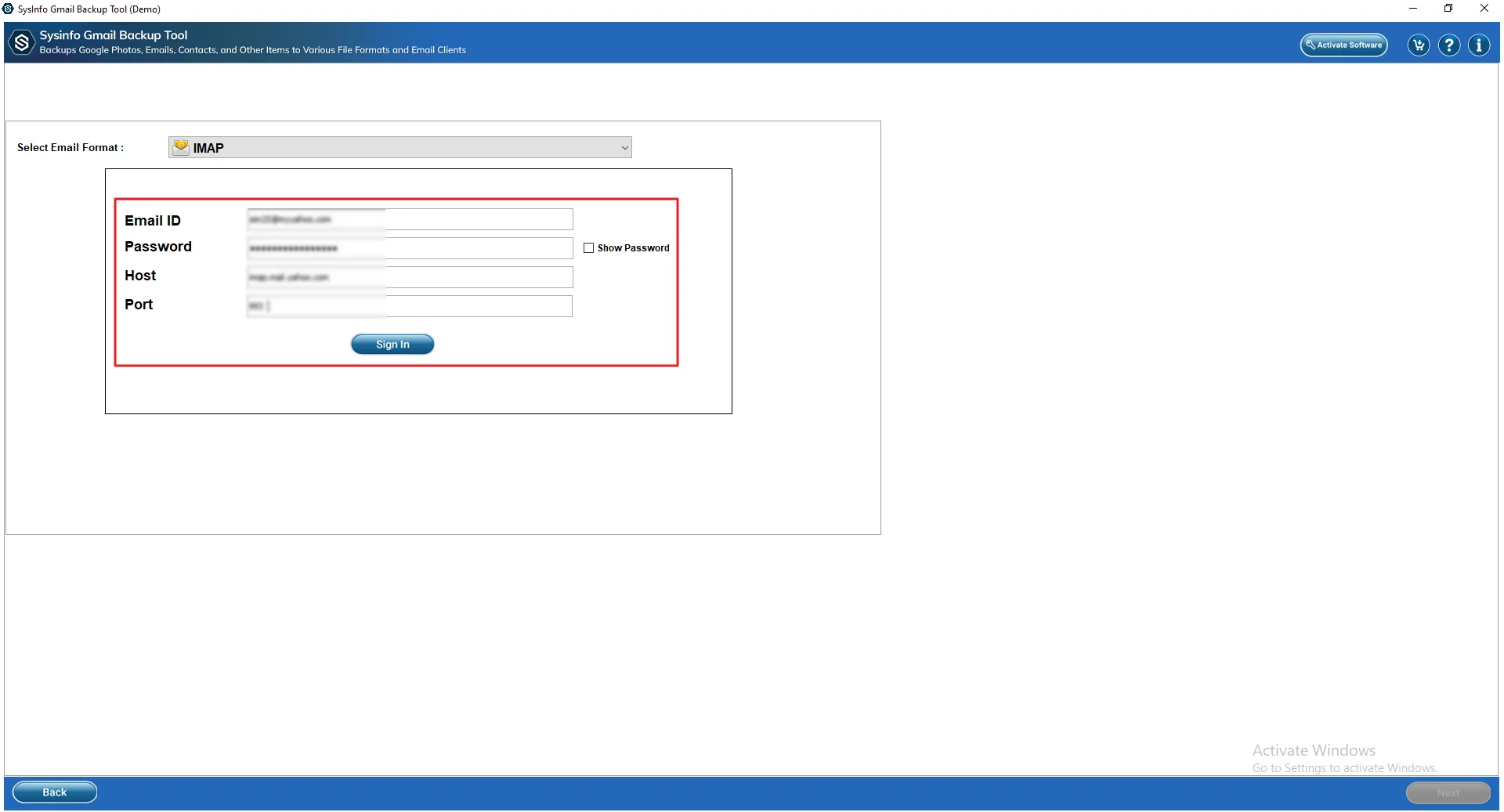
- Next, provide your FastMail credentials to sign in.
- Now, apply filters/features and click Next.
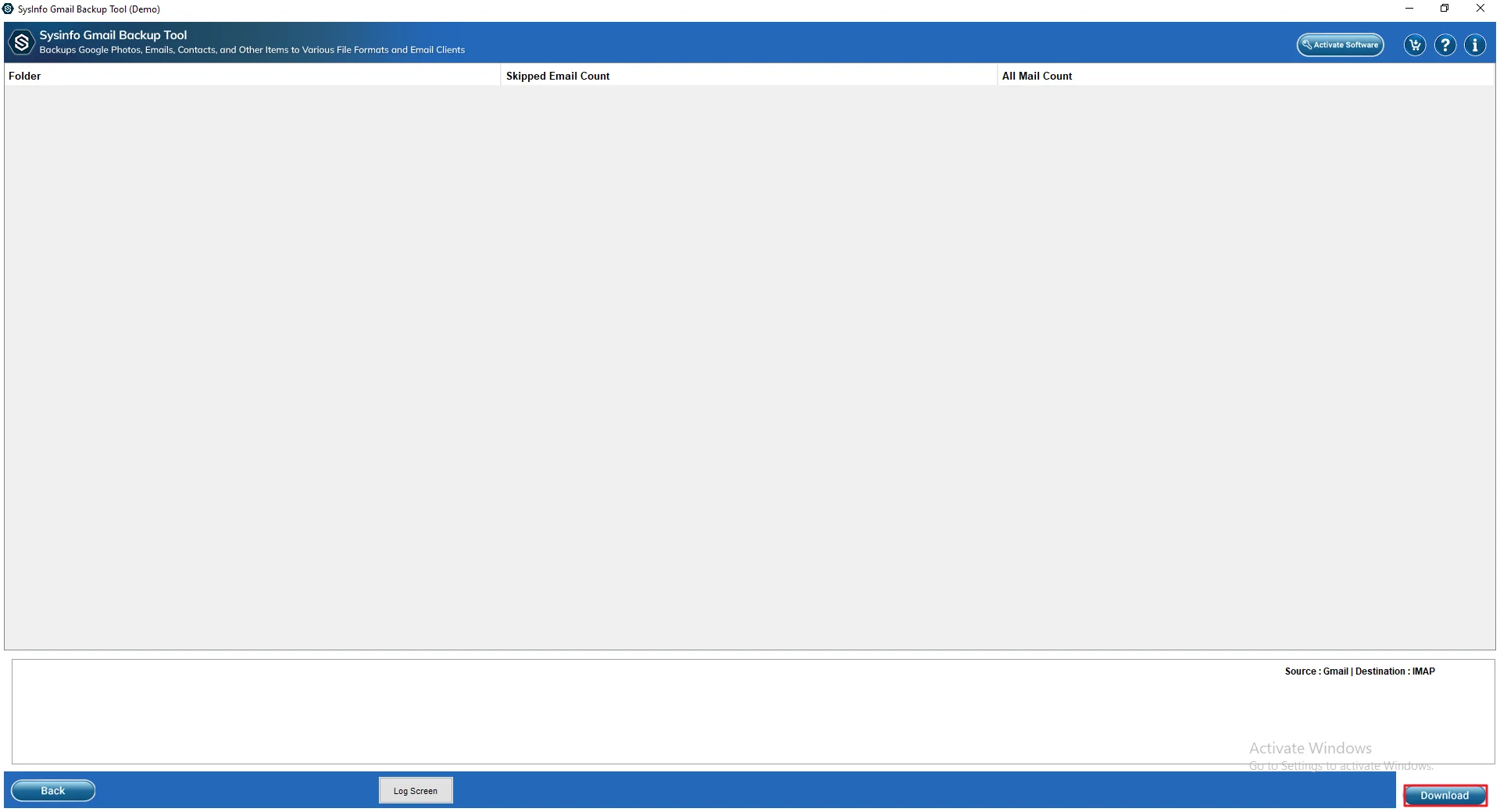
- At the end, click on the Download button.
Real-Life Scenario
Emma needed to move her Gmail emails to FastMail and also keep a copy on her system. At first, she went the manual route. She forwarded emails one by one. It worked, but only for a handful of files. Once the number grew, it started feeling slow and repetitive.
So she tried the MailConverterTools Gmail Backup Tool. She logged in, picked her Gmail account, selected FastMail, and ran the process. Everything transferred in one go. For a few emails, manual is okay. For bigger data, this just saves a lot of time.
Why Professionals Prefer This Method?
- You can download a lot of Gmail data to your PC or hard drive quickly.
- It lets you save emails in different formats like PST, PDF, or CSV.
- Transfer Gmail to Hotmail and other Email Clients like Office 365, G Suite, Hotmail, etc.
- Users can pick emails from a specific date range.
- It also helps move contacts to other email accounts
- You can skip duplicate emails to avoid clutter.
- Your folders stay in the same order after backup.
Relevant post: Download All Photos from Google Photos
Final Conclusion
This blog explains how to migrate Gmail to FastMail in a simple way. You can try manual steps, but they work better for small data and can be confusing. A tool like MailConverterTools Gmail Backup Tool makes things easier. It works in a few clicks, no technical knowledge needed, and even lets you try a small number of emails for free.
Frequently Asked Questions
Q.1 How can I migrate Gmail to FastMail without technical skills?
Ans. You can do it in a simple way without needing much technical knowledge. Use a tool like MailConverterTools Gmail Backup Tool, which guides you step by step.
Q.2 Can I transfer all emails from Gmail to FastMail without losing data?
Ans. Yes, it’s possible to move everything safely. A reliable tool like MailConverterTools Gmail Backup Tool helps keep emails, attachments, and folders intact. It reduces the chances of missing data.
Q.3 What is the best tool to migrate Gmail to FastMail easily?
Ans. One easy option is MailConverterTools Gmail Backup Tool. It’s simple to use and works well for both small and large mailboxes. You can move emails in bulk without repeating steps.
Q.4 What is the difference between free and paid options for migrating Gmail to FastMail?
Ans. Free options usually have limits.
They may take more time and need manual work.
You might have to repeat the steps again and again.
Paid options like MailConverterTools Gmail Backup Tool are faster and easier.
They support bulk transfer and reduce effort.
They also help keep data organized and complete during migration.
About The Author:

Vikas Bajpai is a results-driven SEO expert and content strategist with a strong passion for building impactful digital experiences. He specializes in crafting data-backed content plans that boost visibility, engage audiences, and drive measurable growth. With deep expertise in search engine optimization, keyword strategy, and content marketing, Vikas helps brands strengthen their online presence and achieve long-term success.
Related Post