-
Written By Amit Chandel
-
Updated on December 20th, 2025
Best Way to Transfer AT&T Email to Yahoo Mail
Austin Bryson: “I have been using AT&T Mail for my communications for a long time. But now, I want to move all my emails to Yahoo Mail to manage everything in one place without losing any data. Is there any safe and reliable way to forward AT&T Emails to Yahoo Mail?
Many users are switching to Yahoo Mail from AT&T because Yahoo offers better accessibility and a clean interface. However, AT&T email has a large amount of data stored over the years, which makes migration a difficult process. Therefore, this guide explains how to transfer AT&T email to Yahoo Mail using both manual and professional methods. Ultimately, for a safe, bulk, and loss-free transfer, the IMAP Migration Tool is the best option.
Why You Should Migrate AT&T Emails to Yahoo?
The table below highlights why users prefer moving AT&T emails to Yahoo Mail:
|
Point of Comparison |
AT&T Mail |
Yahoo Mail |
|
Access Type |
ISP-dependent email |
Independent web-based email |
|
Storage |
Limited |
Large storage capacity |
|
Accessibility |
Linked to AT&T service |
Accessible from any device |
|
Interface |
Basic |
Modern and user-friendly |
|
Email Management |
Limited options |
Advanced features to sort and filter |
|
Migration Support |
Manual forwarding only |
Supports IMAP-based migration |
Safest Methods to Transfer AT&T Email to Yahoo Mail
In this section, we will understand the easiest manual method to carry out a small migration. After that, for a more professional migration, we’ll discuss the specialized converter tool.
1) Method to Convert AT&T Email to Yahoo Mail
This is the easiest way to transfer emails from AT&T to Yahoo. Steps to follow for the manual migration are:
- First, log in to your AT&T Mail account.
- Then, open mail settings using the gear option.
- After that, go to the Settings and choose the Mailbox option.
- Further, select your AT&T email address and browse Forwarding settings.
- Now, enter your valid Yahoo Mail email and password.
- Finally, save the changes and complete forwarding the incoming emails.
2) Move AT&T Email to Yahoo Mail Using Yahoo Mail Settings
- First, open Yahoo Mail on your system and sign in using your Yahoo email ID and password.
- After that, click on the Settings icon in the top corner to choose More Settings from the menu.
- Further, select the Mailboxes option and click on Add Mailbox.
- Then, choose the AT&T or Other Mail Account option from the list.
- Afterwards, enter the required AT&T login details and allow permissions.
- Finally, wait for some time while Yahoo Mail syncs your AT&T emails automatically.
Limitations of the Manual Method
- This method cannot transfer old or existing AT&T emails in bulk
- Also, the folder hierarchy is not maintained
- Unfortunately, attachments may be missed during transfer
- Additionally, it is extremely time-consuming for bulk migrations
- It is not practical for businesses or large mailboxes
- Lastly, because of these drawbacks, users prefer a professional solution.
3# Professional Method to Transfer AT&T Email to Yahoo Mail
The MailConverterTools IMAP Migration Tool is the best option to transfer your AT&T Email to Yahoo Mail. Also, this tool supports all IMAP-based email services and allows users to migrate emails with attachments, metadata, and original folder structure intact. Additionally, it works perfectly on both Windows and Mac systems.
Why Choose MCT IMAP Backup Tool?
- The tool easily transfers complete AT&T mailbox data
- Also, it maintains the original folder structure
- It supports bulk email migration without losing data
- Comes with highly secure IMAP authentication
- Moreover, it can easily handle large attachments
Professional Steps to Move AT&T Email to Yahoo Mail
Follow these simple steps to migrate AT&T emails to Yahoo using MCT:
- First, download and open the MailConverterTools IMAP Backup Tool on your system.
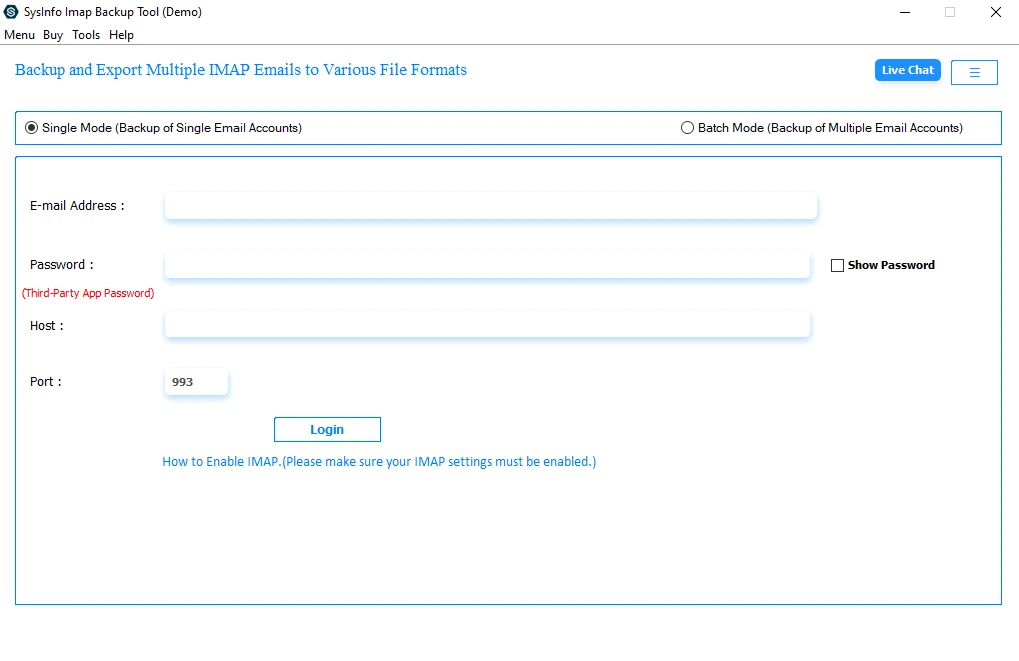
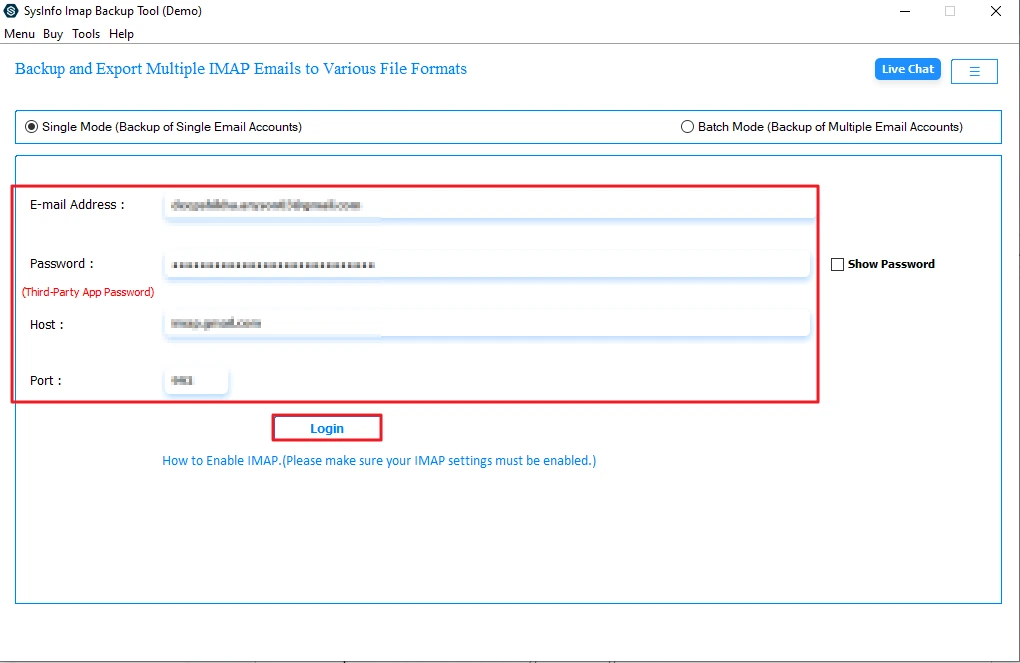
- After that, sign in using AT&T email credentials in the software.
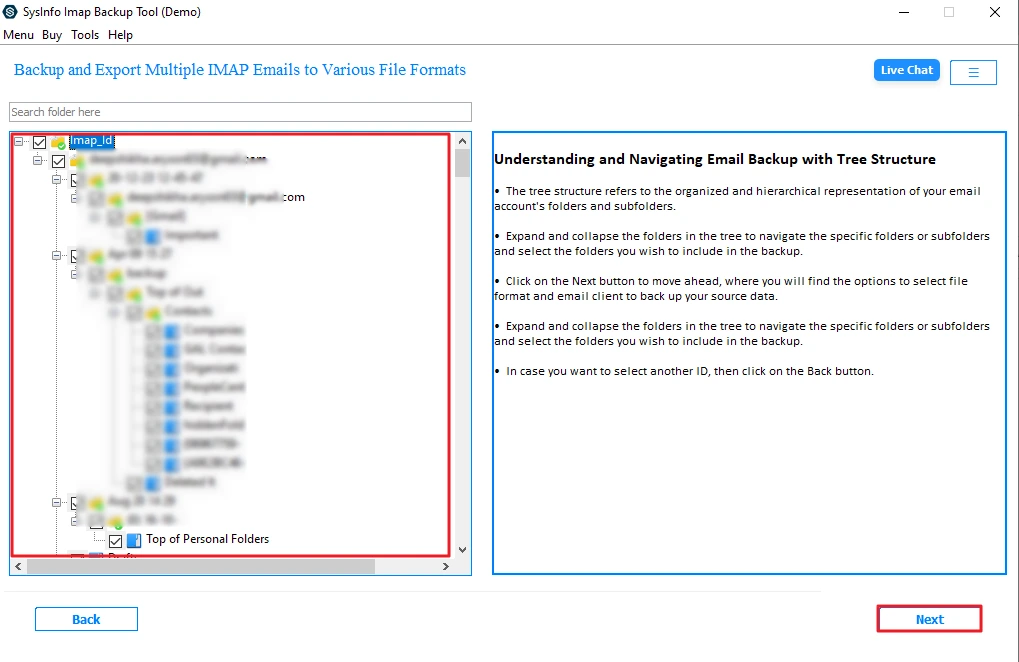
- Now, select the files and folders from the tree structure and click Next.
- Further, choose the IMAP from the Email Client options and click Next.

- Afterwards, enter your Yahoo Mail valid IMAP credentials and click Sign in.
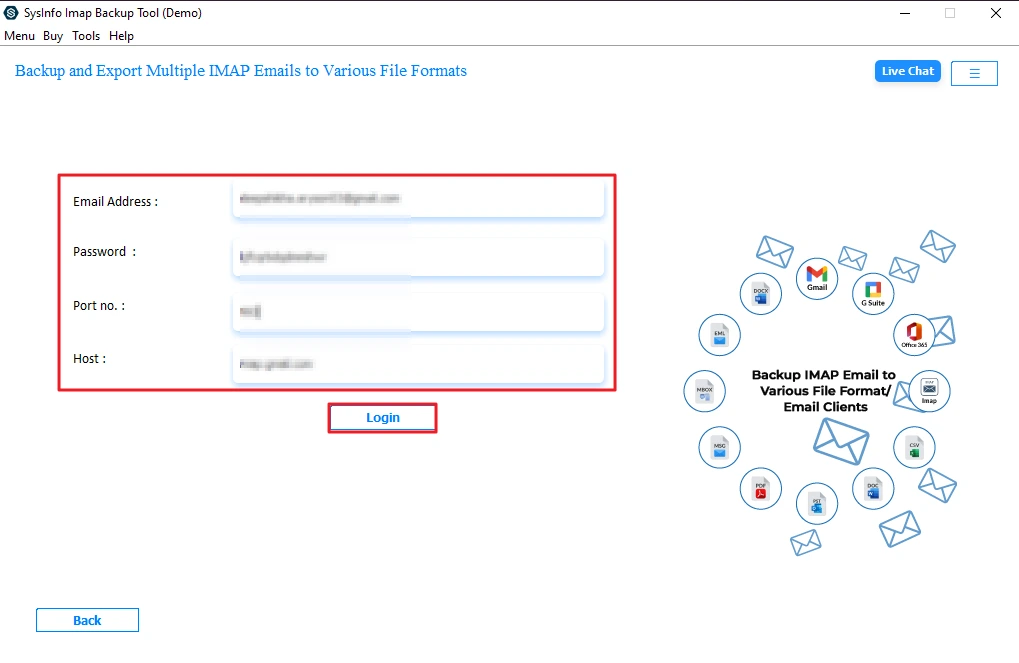
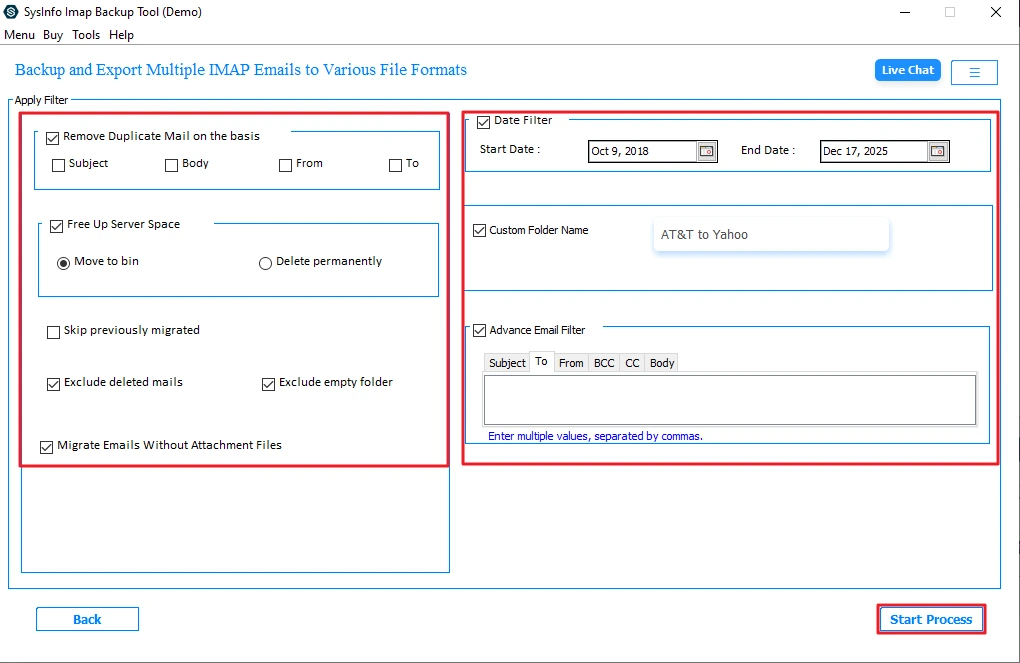
- Finally, apply filters as per your needs and click the Start Process button.
Conclusion
The migration of AT&T Mail to Yahoo Mail becomes easy when you adopt the right method. The manual method is only helpful for new, upcoming emails and small needs. However, it is not suitable to transfer AT&T email to Yahoo Mail with years of mailbox data. The MailConverterTools IMAP Migration Tool is the best way for users who want a complete, fast, and secure solution. Surprisingly, it preserves folder consistency, keeps data safe, and saves time.
Frequently Asked Questions
Q1. Can I migrate AT&T Emails to Yahoo on Mac?
Ans. Yes. The MailConverterTools IMAP Backup Tool works smoothly on both Mac and Windows systems.
Q2. Will my folder structure remain the same after transferring?
Ans. Yes. The tool preserves the original folder hierarchy during migration.
Q3. Can I move AT&T emails to Yahoo Mail without a password?
Ans. No. Secure authentication is required. However, you can use app passwords for added security.
Q4. Which is the best tool to transfer AT&T mail to Yahoo Mail smoothly?
Ans. The MailConverterTools IMAP Backup Tool is the most reliable and secure solution for bulk migration.
About The Author:

Meet Amit, an experienced SEO expert and content planner. He uses his creativity and strategy to create content that grabs attention and helps brands reach their goals. With solid skills in digital marketing and content planning, Amit helps businesses succeed online.
Related Post